
Best CMS for AI Coding Agents in 2026: 10 Platforms Compared

By Arso Stojović•November 26, 2026•18 min read
The best CMS for AI coding agents is one an agent can connect to, discover a content model from, and use to create or update structured content without a custom integration.
When you're building with Claude Code, Cursor, or OpenAI Codex, a CMS becomes more than an editing interface. Your agent may need to inspect content models, create templates, write entries, manage media, and connect the content to your application.
Quick answer: What is the best CMS for AI coding agents?
BCMS is a strong starting point for agent-driven content workflows. It combines a hosted Model Context Protocol (MCP) server, official Agent Skills, programmatic content modeling, and a TypeScript-friendly client SDK.
That combination lets a coding agent work on both sides of a content-driven website: managing structured content in the CMS and integrating it into application code.
Sanity is the closest alternative for hosted MCP plus custom structured-content workflows. Payload fits when the CMS should live inside a TypeScript/Next.js app. Strapi fits when you want an open-source backend you operate yourself.
Recommendation: Start by deciding how your agent should interact with content. If you want an agent to discover and manage a hosted CMS directly, BCMS belongs on your shortlist. If you want the agent to edit the CMS configuration inside your repository, a code-first or Git-based platform may be a better fit.
What makes a CMS good for AI coding agents?
Traditional CMS comparisons often emphasize visual editors, plugin marketplaces, and in-dashboard AI assistants. Those help human editors. They do not tell you whether Claude Code, Cursor, or Codex can operate the CMS as a system.
An agentic CMS is closer to an API product with a protocol layer than to a page builder with a chatbot. The agent needs a connection path, enough context to use the right tools, programmatic schema and content access, and permissions that keep those tools from becoming an unscoped admin session.
Here are six capabilities that make a CMS useful for AI coding agents:
Native MCP support and agent connectivity
The Model Context Protocol (MCP) provides a standardized way for AI applications to discover and invoke external tools.
For a CMS, those tools might include listing templates, retrieving entries, updating content, or managing media.
A hosted MCP server can reduce integration work because the provider operates the server. A self-hosted MCP integration can offer more infrastructure control but requires additional setup and maintenance.
MCP isn't mandatory. A coding agent can also work through a documented API, CLI, or repository files. The important question is whether the interaction is reliable and repeatable.
Agent skills and context awareness
MCP gives the agent tools but doesn't automatically teach it how to use a particular CMS correctly.
Agent Skills give it the playbook: modeling conventions, which SDK to use in app code, which tool to call first, and which operations are unsafe. Without that, agents guess field names, invent pointer IDs, or write raw REST when an SDK exists.
Official packs, BCMS (bcms, bcms-content), Sanity’s Agent Toolkit, and Prismic’s CLI skill reduce that failure mode.
API and SDK accessibility
Your coding agent may manage content through MCP, but your website still needs a reliable way to retrieve and render that content.
Look for:
Documented content delivery APIs
Maintained SDKs
TypeScript support
Framework integration guides
Predictable rich-text and media handling
The CMS-to-agent connection and the CMS-to-application connection serve different purposes. A good development workflow supports both.
Programmatic content schema management
Creating content is useful. Creating the content model is even more valuable when an agent is scaffolding a new project.
Consider this request: "Create a Blog content model with a title, slug, author, featured image, and rich-text body. Then add a draft post."
Some CMS integrations let agents create entries only within existing models. Others expose schema operations or let agents edit schema definitions in code.
Neither approach is universally better. Programmatic schema changes are convenient for rapid development, while code-reviewed schemas may be preferable when changes need to follow an established deployment process.
Permissions, security, and controlled access
An MCP key is a write-capable credential. You should be able to issue a dedicated token, scope it by content type and verb, and revoke it without rotating everything else. Prefer platforms that hide tools the token cannot use, default writes to draft or release, or block delete. A full admin token in mcp.json is a limitation, not a convenience.
Developer experience and framework compatibility
The CMS should fit the repo the agent is already in.
For a Next.js project, that may mean an SDK and generated TypeScript models. For an internal application, it may mean direct access to SQL-backed collections. For documentation, it may mean Markdown files in Git.
The best CMS for your agent fits your development workflow without adding unnecessary infrastructure or editorial complexity.
Best CMS for AI Coding Agents: Comparison table
The following comparison focuses on documented product capabilities rather than measured agent performance.
CMS | Best use case | MCP | Agent Skills | API / SDK | Schema via agent | Key limitation |
|---|---|---|---|---|---|---|
Agent-driven content workflows | Hosted | Official |
| Templates, groups, widgets | Hosted; not a self-hosted app DB | |
Structured content, custom Studio | Hosted ( | Agent Toolkit + editor plugins | Client, GROQ, CLI |
| Studio/customization complexity | |
TypeScript / Next.js apps | Official plugin you host | None | Local, REST, GraphQL | TypeScript config in repo | You operate app + MCP; Cloud paused for new projects | |
Open-source customization | Built-in (v5.47+, GA 5.49) | None | REST, GraphQL, plugins | Content tools; model changes mostly admin/code | Self-host or Cloud; MCP is content-focused | |
Database-driven apps | Built-in (v11.12+) | System prompt, not Skills | REST/GraphQL from SQL | Collections, fields, relations | You own DB + instance; deletes off by default | |
Enterprise content ops | Hosted Remote MCP (GA) | None | CMA / CDA + SDKs | Content types, gated by MCP app | Heavy governance; enterprise pricing | |
Visual, component editing | Official, over Management API | None | Content / Management APIs | Components and stories | Visual editor is the center of gravity | |
GraphQL-first projects | Official hosted | In-CMS AI Guidelines | GraphQL APIs | Schema tools | No delete via MCP | |
Slice-based marketing sites | Hosted ( |
| REST/GraphQL + kits | Read models; create types via CLI | Writes go to releases | |
Keystatic | Git-based content | None | None | Reader API | TypeScript config in repo | No remote CMS API |
“Agent Skills” means an official pack in the Claude Code / Cursor / Codex format. In-editor AI assistants and MCP system prompts are not the same thing.
The 10 Best CMS Platforms for AI Coding Agents in 2026
Each review covers the product, agent integration, features, trade-offs, and who should choose it.
1. BCMS: Best for AI coding agent workflows
BCMS is a hosted headless CMS with templates, entries, groups, widgets, media, languages, and statuses. Editors use a dashboard. Applications use @thebcms/client. Coding agents use a hosted MCP server plus official Agent Skills.
Why BCMS stands out?
Hosted MCP connectivity
BCMS provides an MCP endpoint that compatible coding agents can connect to using a scoped key.
Through its documented MCP tools, an agent can inspect content structures, work with entries, manage media, and perform content modeling operations.
Programmatic content modeling
BCMS MCP supports operations involving templates, groups, and widgets. This is particularly useful when an agent is helping build a website from an initial specification. Rather than requiring every content model to be created manually before development begins, the agent can participate in designing the CMS structure.
Official agent skills
BCMS provides two complementary skills:
npx skills add bcms/ai --skill bcms teaches modeling, SDK usage, and MCP tool names. npx skills add bcms/ai --skill bcms-content adds a CLI for scripted entry and media operations. Clients include Cursor, Claude Code, Codex, and OpenClaw.
See BCMS for AI Coding Agents. These give coding agents additional context beyond the tools exposed by MCP.
TypeScript and framework integration
The @thebcms/client package lets applications retrieve structured content. BCMS also documents integrations with frameworks including Next.js, Nuxt, Astro, and Svelte. Its CLI can generate TypeScript models from content templates.
Scoped agent access
BCMS supports MCP keys with permissions scoped to relevant resources. Teams can create credentials for specific agent workflows rather than giving every agent unrestricted access.
Pros | Cons |
|---|---|
|
|
Best use cases: Claude Code, Cursor, or Codex teams modeling content and wiring a framework site. Product and marketing sites that need a dashboard for humans and tools for agents. Projects that should not also operate a CMS database.
2. Sanity: Best for custom workflows
Sanity stores content in a Content Lake and lets you shape the editor with Sanity Studio. Schemas are code, queries are GROQ, and the editing experience is highly customizable.
Sanity also offers a hosted MCP server and an official Agent Toolkit. Agents can interact with content through MCP, while skills and development tooling help them follow Sanity-specific patterns.
For teams already using GROQ, custom schemas, and sophisticated editorial workflows, these integrations make Sanity a strong alternative.
Pros | Cons |
|---|---|
|
|
Best use cases: Custom editorial systems, content graphs with releases, teams already on Sanity.
3. Payload CMS: Best for TypeScript and Next.js Projects
Payload is a code-first CMS that runs inside a TypeScript application, typically Next.js. Collections, fields, access control, and hooks live in config you review in git. The Local API is the fastest path from server code to documents; REST and GraphQL are also available.
Payload provides an official MCP plugin that exposes configured collections and globals to compatible agents. Developers can control which operations are available through the plugin and associated permissions.
The distinction is architectural: instead of treating the CMS as an external hosted content service, Payload can be part of the application stack itself.
Pros | Cons |
|---|---|
|
|
Best use cases: Next.js teams that want the CMS inside the app, schema-as-code, and infrastructure ownership.
4. Strapi: Best for open-source Customization
Strapi is an open-source Node.js headless CMS you can self-host or run on Strapi Cloud. For AI coding agents, Strapi's value comes from combining programmatic content access with a customizable backend. Its MCP capabilities can make content operations available to compatible agent clients, while its APIs remain useful for application delivery.
The main consideration is operational ownership. A self-hosted setup gives you control, but also responsibility for configuration, upgrades, and security.
Learn more: SaaS headless CMS vs self-hosted headless CMS
Pros | Cons |
|---|---|
|
|
Best use cases: Teams already using Strapi or prioritizing backend customization.
5. Directus: Best for database-driven applications
Directus is a data platform that sits on top of a SQL database and exposes its collections through APIs and an administrative interface.
This differs from CMS platforms primarily organized around editorial documents.
For agent-driven development, Directus is attractive when agents need to interact with structured operational data as well as content.
Its MCP integration and permission system provide a path for controlled interactions with collections and fields.
Pros | Cons |
|---|---|
|
|
Best use cases: Internal tools, data-driven applications, and projects built around SQL collections.
6. Contentful: Best for enterprise content operations
Contentful is a hosted enterprise CMS with content modeling, localization, environments, and governance features. For enterprise teams, the important question isn't simply whether an agent can update an entry. It's whether those updates fit established roles, environments, approvals, and release processes.
Contentful offers a ready-to-use MCP server that lets AI coding agents connect to the CMS and work with content. Once connected, agents can create and update entries, manage images and other assets, and work with content models.
To get started, teams need to enable the MCP integration in Contentful and choose what their agents are allowed to access or change. Existing user permissions still apply, so agents cannot automatically access everything in the CMS.
Pros | Cons |
|---|---|
|
|
Best use cases: Larger teams with established content processes and multiple environments.
7. Storyblok: Best for visual content editing
Storyblok is a headless CMS built around a visual editor and nested components (bloks). Marketers edit pages in context; developers consume a component tree over the Content API.
The official MCP server sits on the Management API. Agents can search endpoints, run read-only discovery, then execute creates, updates, publishes, and asset operations. Destructive calls require explicit destructive intent. Auth uses OAuth and scoped tokens.
Storyblok positions MCP for one-off tasks and prototyping, not as a replacement for the visual editor.
Pros | Cons |
|---|---|
|
|
Best use cases: Marketing websites where human editors need to work visually alongside developer automation.
8. Hygraph: Best for GraphQL-based projects
Hygraph is a GraphQL-native headless CMS with content federation. It is particularly relevant to projects that already use GraphQL for application data and want a content layer that fits the same architectural approach.
The main trade-off is that GraphQL-first architecture can be more specialized than a simple REST-based content setup.
Pros | Cons |
|---|---|
|
|
Best use cases: GraphQL-standardized teams, federated content graphs, workflows that should update and publish but never delete.
9. Prismic: Best for component-based websites
Prismic models pages as custom types filled with Slices — reusable sections a developer defines and a marketer stacks. Framework kits for Next.js and Nuxt are a large part of the appeal.
Prismic provides MCP capabilities for content operations, while its CLI supports development and modeling workflows.
An important distinction is that content changes and structural changes may involve different tools. This can be a useful separation of responsibilities, especially when developers maintain the component system and editors manage content.
Pros | Cons |
|---|---|
|
|
Best use cases: Marketing teams using reusable page components and controlled content releases.
10. Keystatic: Best for git-based content workflows
Keystatic takes a different approach from hosted API-first CMS platforms. Content can live in repository files, while schemas are defined in TypeScript.
For AI coding agents, this has an obvious advantage: agents already know how to edit files, modify TypeScript configuration, and work with Git.
A separate MCP server is not essential when the agent can operate directly on the content repository.
The trade-off is that Git-based workflows may not suit every editorial team, particularly those with complex localization, media, or publishing requirements.
Pros | Cons |
|---|---|
|
|
Best use cases: Docs, changelogs, and blogs that belong in the repo; small sites where the coding agent is the editor.
How to connect an AI coding agent to a CMS: BCMS example
One useful way to evaluate an agent-friendly CMS is to try a complete workflow:
Give the agent product-specific instructions.
Connect it to the CMS.
Let it inspect the existing content structure.
Ask it to create or update a draft.
Retrieve that content in an application.
Here's how that workflow is documented for BCMS.
Step 1: Install the BCMS Agent Skill
Install the main BCMS skill:
npx skills add bcms/ai --skill bcms
npx skills add bcms/ai --skill bcms-content
The first skill guides BCMS concepts, MCP, and SDK integration. The second supports CLI-based content operations.
Installing a skill does not connect the agent to your BCMS instance. That requires MCP configuration.
Step 2: Create an MCP Key and configure permissions
Open your BCMS dashboard and navigate to Settings → MCP. Create a key with the minimum permissions required for your task.
For example, an agent drafting blog content may need access to the Blog template but should not automatically receive permission to modify unrelated content.
BCMS uses a three-part credential: keyId.keySecret.instanceId
Keep the credential private. Don't commit it to Git or expose it through a browser-facing environment variable.
Step 3: Connect BCMS to Claude Code
Run the following command, replacing the placeholder with your MCP key:
claude mcp add --transport http bcms "https://app.thebcms.com/api/v3/mcp?mcpKey=YOUR_MCP_KEY_HERE"
For Cursor, the equivalent MCP server configuration is:
{
  "mcpServers": {
    "bcms": {
      "url": "https://app.thebcms.com/api/v3/mcp?mcpKey=YOUR_MCP_KEY_HERE"
    }
  }
}
Store this configuration in the appropriate local client settings. Because the key is part of the URL, avoid committing the configuration to a shared repository.
Step 4: Ask the Agent to discover content templates
Once connected, start with a read-only prompt:
Connect to BCMS and list all templates available to this MCP key.
For each template, summarize:
- Template name
- Available fields
- Required properties
Do not modify any content.
This helps the agent understand your existing content structure before making changes. If the agent cannot see a template, the key is scoped too tightly, or MCP is not enabled.
Step 5: Create and Update Content Using Natural Language
After the agent discovers your Blog template, ask it to create an entry:
Create a draft blog post titled "Getting Started with BCMS Agents".
Use the existing Blog template and:
- Set the slug to "getting-started-with-bcms-agents"
- Write a short introduction
- Keep the entry unpublished
- Report any required fields that could not be completed
You can also ask the agent to propose a new content model:
Propose a Blog template with the following fields:
- Title
- Slug
- Author
- Featured image
- SEO description
- Rich-text body
Show me the proposed structure before creating the template.
Step 6: Retrieve CMS content in a Next.js Project
Your AI coding agent uses MCP to manage content. Your Next.js application uses the BCMS client SDK to retrieve it.
Create a new Next.js project using the BCMS starter:
npx @thebcms/cli create next starter simple-blog
Or install the necessary packages in an existing Next.js application:
npm install @thebcms/cli @thebcms/client @thebcms/components-react
Add your server-side API key to .env.local:
BCMS_API_KEY=YOUR_SERVER_SIDE_API_KEY
Initialize the BCMS client in src/bcms.ts:
import { Client } from '@thebcms/client';
export const bcms = new Client({
  injectSvg: true,
});
Retrieve blog entries in src/app/page.tsx:
import { bcms } from '@/bcms';
export default async function HomePage() {
  const posts = await bcms.entry.getAll('blog');
  return (
    <main>
      <h1>Blog</h1>
      <ul>
        {posts.map((post) => {
          const title = post.meta.en?.title;
          if (!title) return null;
          return <li key={post._id}>{title}</li>;
        })}
      </ul>
    </main>
  );
}
What this workflow demonstrates: An AI coding agent can work with the CMS content structure, create draft entries, and help build an application that retrieves those entries. MCP handles agent-to-CMS operations, while the BCMS SDK handles application-to-CMS integration.
MCP vs API vs SDK vs Agent Skills: What do AI coding agents need?
These technologies solve different problems.
Technology | Primary purpose | Typical use |
|---|---|---|
MCP | Expose tools and resources to an AI client | Let an agent inspect schemas and manage entries |
REST / GraphQL API | Provide programmatic access to content and CMS operations | Application delivery and custom integrations |
SDK | Simplify working with APIs in application code | Fetch and render content in Next.js |
Agent Skills | Give agents product-specific instructions | Guide setup, modeling, and development patterns |
CLI | Execute commands in a terminal or script | Scaffolding, content tasks, and automation |
When is MCP useful?
MCP exposes tools to an AI client so the agent can call “create an entry” with structured arguments instead of inventing HTTP. Instead of manually constructing requests for every operation, Claude Code, Cursor, Codex, VS Code, and Windsurf can attach a server once and reuse it.
However, MCP doesn't eliminate the need for permissions, validation, or review.
When are REST and GraphQL APIs enough?
APIs are enough for application reads, CI contracts, and git-based content (Keystatic). They are a poor primary interface for interactive CMS work: the agent rediscovers endpoints, guesses required fields, and mishandles rich text. Use APIs for delivery. Use MCP or git for agent-operated mutations.
How SDKs simplify CMS integration?
An SDK is how the shipped app should talk to the CMS. SDKs provide familiar methods, framework integration, and potentially stronger typing.
For BCMS, the client SDK handles application-side content access while MCP handles agent-side operations.
How do Agent skills improve agent workflows?
Skills are on-disk instructions the agent loads for a matching task. The BCMS skill says: MCP for content operations, SDK for app code, CLI for scripted jobs, and do not hard-code keys or delete production templates without checking usage.
They can help reduce incorrect assumptions about field names, project structure, or integration patterns. But skills aren't permissions or execution tools. They complement MCP, APIs, and CLIs rather than replacing them.
Why combining these capabilities matters
Layer | Role | When |
|---|---|---|
Agent Skill | Modeling, SDK, and tool names | Every coding-agent session |
MCP | Live schema and content tools | Claude Code, Cursor, Codex |
Content CLI | Deterministic entry/media commands | CI and scripts |
SDK | Typed reads in the app | Next.js, Nuxt, Astro, and others |
A CMS with only an API makes the agent hunt. A CMS with only MCP makes the website awkward. Skills + MCP + SDK let the same agent model content, fill it, and render it. The BCMS walkthrough above is that stack in practice.
FAQs about CMS for AI Coding Agents
What is the best CMS for AI coding agents?
BCMS is the best default for AI coding agents in 2026 because it combines a hosted MCP server, official Agent Skills, scoped keys, and TypeScript SDKs. Sanity is the best alternative for custom structured-content workflows. Payload and Strapi are better when you need to own the CMS runtime.
Can Claude Code connect to a headless CMS?
Yes. Claude Code can connect to compatible MCP servers, including those provided or supported by several headless CMS platforms. It can also work through CLIs, APIs, and repository files.
Do AI coding agents need an MCP server?
No. They need a reliable interface. MCP is the current standard for hosted and self-hosted CMS tools. Git-based systems can skip MCP because the agent already edits the repo. REST/GraphQL alone is usually a worse interactive interface, but it is enough for application reads.
Can AI agents create and update CMS content automatically?
Yes, when the CMS exposes create/update tools (MCP, API, or file writes) and the credential allows those verbs. You should still scope keys, default to draft or release writes, and keep publish/delete behind tighter permissions or a human step.
What is the difference between an AI-powered CMS and an agentic CMS?
An AI-powered CMS typically provides AI features to people working inside the editor, such as writing assistance or translation.
An agentic CMS exposes interfaces that allow external AI agents to inspect, create, update, or otherwise work with content programmatically. A platform can be both.
Can Cursor and Codex manage CMS content?
Yes. Both can participate in CMS workflows through supported tools and integrations. The available operations depend on the CMS, its connection method, and the permissions granted.
Is a headless CMS better for AI coding agents than WordPress?
Usually, yes. Headless CMS platforms expose structured models and APIs, and in 2026, often MCP. Coding agents work more reliably against typed fields and documented tools than against theme/plugin PHP and rendered HTML. Choose WordPress if the editorial ecosystem is the requirement, not if the agent is the primary operator.
Choosing the right CMS for AI Coding Agents
Pick a CMS for AI coding agents the way you would pick an API product. Can the agent connect? Can it see the schema? Can it write content under a scoped credential? Can your app read that content with an SDK? If any answer is “we will glue it together later,” expect broken entries and leaked admin tokens.
If you want the agent-native path, connect BCMS to your coding agent: install the skill, create a scoped MCP key, discover templates, draft a post, and render it from @thebcms/client. The CMS that passes that loop in your repo is the one to keep.
Try BCMS free
Headless CMS for developers. Agents and clients can edit content. You keep the code.
14-day free trial · No credit card required
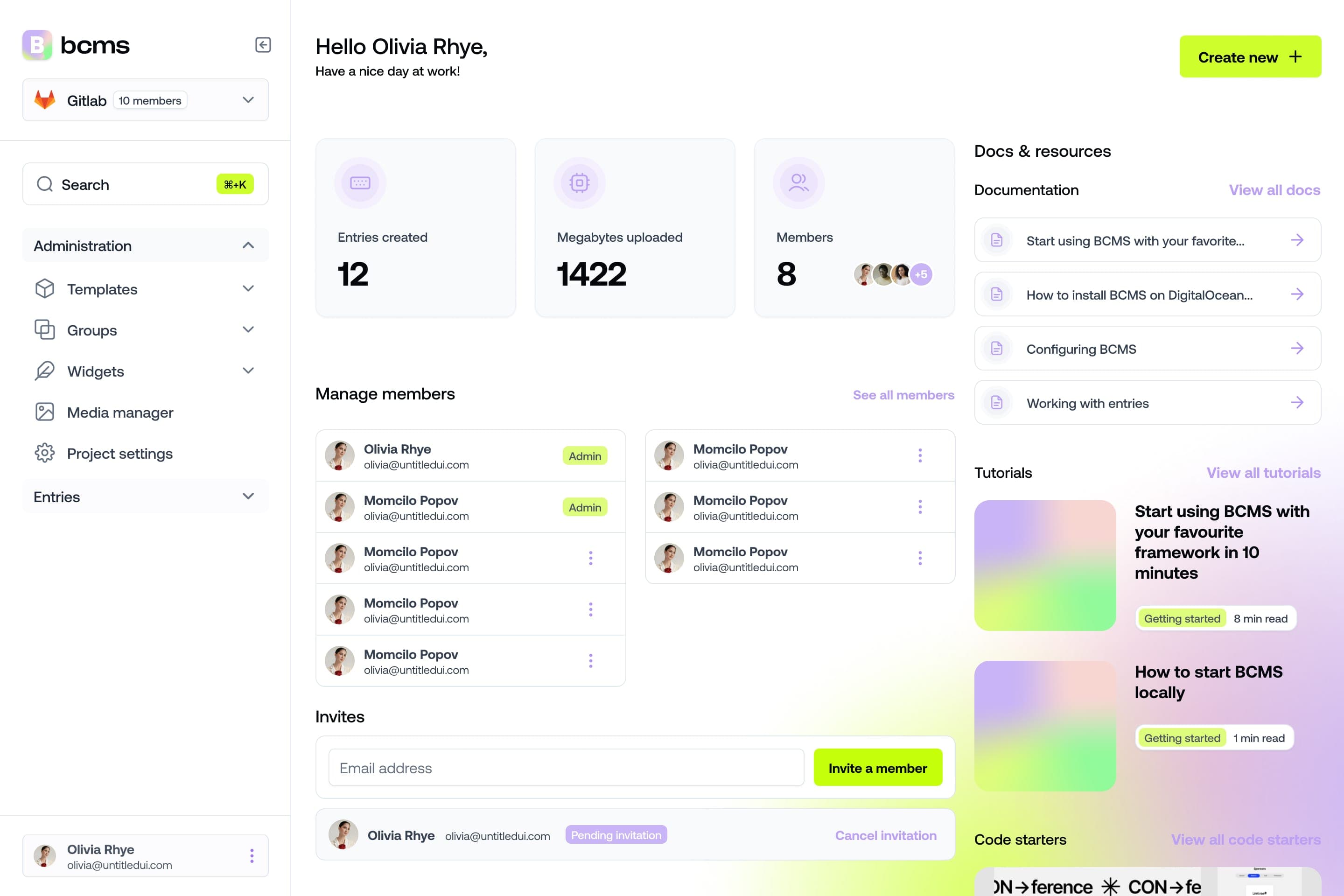
Try BCMS free
14-day free trial. No credit card. It takes a minute to start using BCMS.
Content
Try BCMS free
Headless CMS for developers. Agents and clients can edit content. You keep the code.
14-day free trial · No credit card required
Continue reading

Vibe Coding explained: When do you need a CMS?
Learn what vibe coding is, how AI coding tools work, and when a CMS makes sense. See how to use Cursor with a BCMS starter.

Composable CMS: What it is & why your stack should be flexible
Composable CMS uses modular architecture & integration to make content management more flexible and support scalability as your stack evolves.

MACH CMS: MACH architecture and headless CMS explained
Explore the MACH architecture with headless CMS, microservices, and API-first principles. Understand composable systems for flexible content delivery.