
How to Migrate from Payload CMS to BCMS

By Arso Stojović•November 19, 2026•7 min read
Payload CMS is still one of the strongest choices for TypeScript teams that want their CMS, backend, and application code tightly integrated.
But after the Payload team joined Figma and new Payload Cloud deployments were paused, teams evaluating Payload for new projects have a different question to answer: Do they want to operate Payload themselves, or move to a managed headless CMS?
Whether you actually need to leave Payload, and how to move content without breaking production. This guide covers a reproducible TypeScript migration pipeline you can adapt to a real project.
What changed after Figma acquired Payload?
On June 17, 2025, Figma announced that the Payload team had joined the company. Payload remains open source under the MIT license, the team continues to run the project, and self-hosting remains supported. Figma frames the move as closing the gap between design and production.
This does not mean Payload stopped working.
On Payload's Cloud update page: Deployment of new projects is currently paused, while existing Cloud projects continue running as normal. Existing Cloud customers will eventually migrate to a future replacement product.
Do you actually need to migrate from Payload CMS?
No, not by default. Stay on Payload if your team wants schema-as-code, self-hosting, direct database ownership, and a CMS embedded in your Next.js application.
Consider migration if you want a managed headless CMS, visual content modeling, framework-independent delivery, or a hosted editorial workflow without operating database and CMS infrastructure yourself.
Why developers are looking for Payload CMS alternatives
Code-first content modeling
Payload automatically generates an Admin Panel so that editors can manage content through the UI. The distinction: Developers primarily own schema changes: new collections, fields, and blocks typically go through code, review, and deployment.
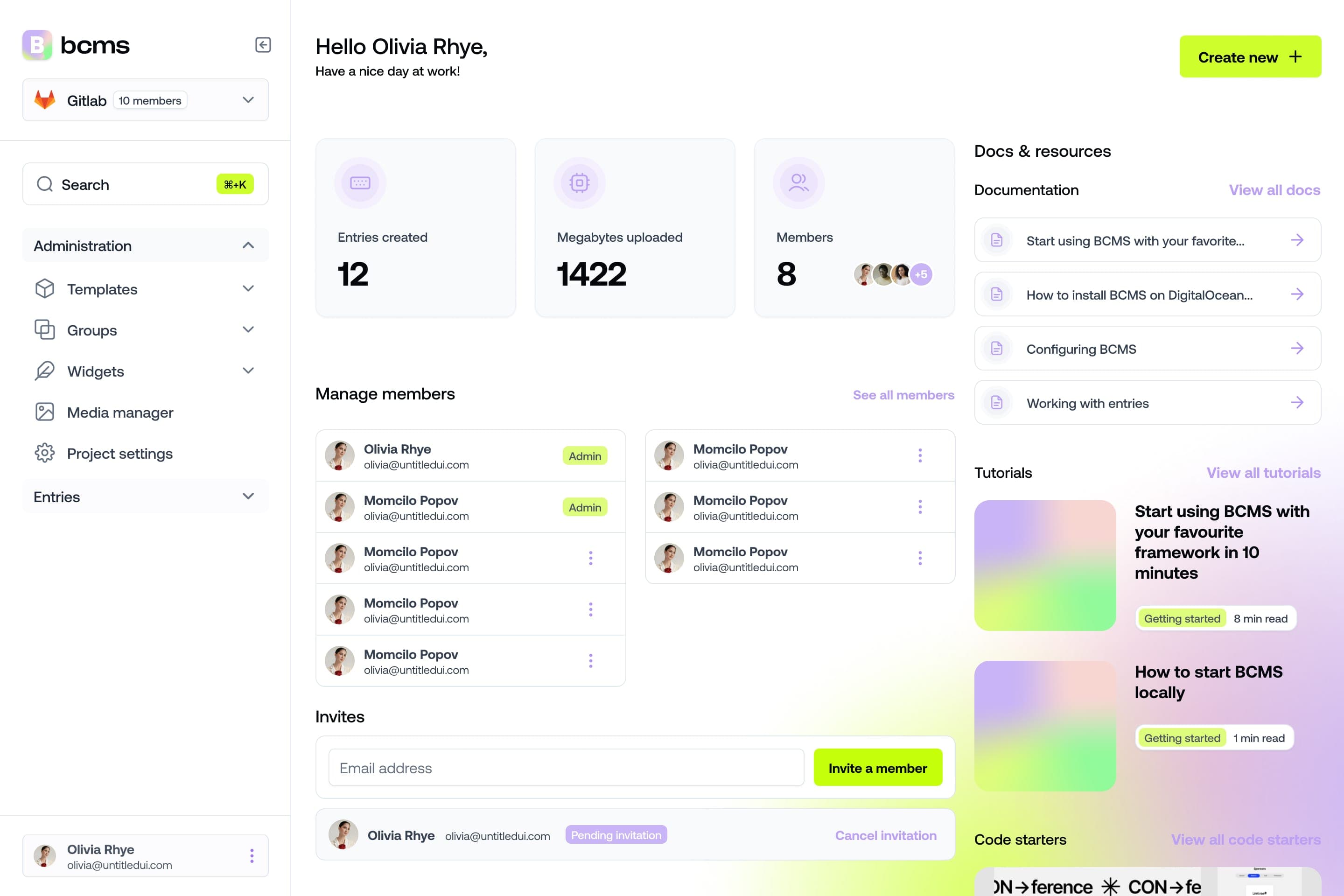
BCMS Templates, Groups, and Widgets can be configured visually in the dashboard.
Self-hosting and infrastructure
Payload's open-source core has a $0 license fee. That is not the same as $0 operational cost. Self-hosted Payload can require application hosting, PostgreSQL or MongoDB, object storage, backups, monitoring, upgrades, and incident handling.
Payload Cloud availability
New Payload Cloud project deployments are paused. If you wanted Payload as a managed service for a new project, self-hosting is currently the supported path.
Next.js/TypeScript architecture
Payload's Next.js integration is a strength. BCMS fits when content must serve Nuxt, Astro, Svelte, mobile apps, and multiple frontends through an API-first model.
Content-team autonomy
Marketing and agency teams that need to modify content structures without a code deployment may prefer BCMS Templates over Payload schema changes in TypeScript.
Maintenance and total cost of ownership
Payload TCO includes engineering time for infrastructure, upgrades, and media storage. BCMS TCO is primarily subscription plus integration work.
Acquisition and roadmap considerations
Acquisitions cause reasonable strategic questions about roadmap direction and hosted offerings. Treat these as planning inputs, not a mandate to migrate. Payload remains MIT-licensed and actively developed.
When you should stay with Payload
You want self-hosting and direct database access
Your CMS should live inside your Next.js application
You prefer schema-as-code and PR-reviewed content architecture
Infrastructure ownership is a requirement
Payload CMS vs BCMS: architecture at a glance
Dimension | Payload CMS | BCMS |
|---|---|---|
Core model | Code-first CMS + app framework | Managed headless CMS |
Content schema | TypeScript config | Visual Templates, Groups, Widgets |
Hosting (new projects) | Self-host; Cloud paused | Managed cloud |
APIs | Local, REST, GraphQL | REST via @thebcms/client |
Rich text | Lexical JSON | ProseMirror-style node trees |
Localization | Per-field localized | Per-locale meta + content |
Access control | TypeScript in config | BCMS permissions + app layer |
Payload CMS vs BCMS pricing
Payload self-hosted: $0 software license plus infrastructure and engineering.
Payload Cloud: new deployments paused; no public pricing for new customers.
BCMS: 14-day free trial; Hobby $5/mo ($4/mo annual); Pro $50/mo ($33/mo annual). Compare total cost of ownership, not license fee alone.
Before migrating: Understand the content model
Payload CMS | BCMS | Notes |
|---|---|---|
Collection | Content type definition | |
Document |
| |
Field | Template property | STRING, MEDIA, DATE, etc. |
Global | Single-entry template | Pattern, not 1:1 primitive |
relationship | Entry pointer | { entryId, templateId } in SDK |
upload / media | Media library | requestUploadToken() + createFile() |
array | Array property | Most property types support arrays |
blocks | Manual blockType → widget map | |
richText (Lexical) | Content nodes | Conversion required |
localized fields | meta + content per lng |
|
versions / _status | Entry statuses | Map draft/published per locale |
hooks / access / endpoints | — | Reimplement in app |
Some Payload functionality is application behavior, not content: hooks, custom access-control functions, custom endpoints, authentication logic, custom admin components.
These cannot be exported and imported; plan to reimplement them.
How to migrate from Payload CMS to BCMS
1. Audit your Payload CMS project
Inspect collections, globals, fields, relationships, blocks, localization, uploads, drafts, access rules, and hooks. Document which concepts contain content (migratable) vs application behavior (must be reimplemented).
2. Create a BCMS project
Sign up at app.thebcms.com, create a project, and add languages (en, de, etc.) if you use localization.
3. Recreate your Payload schema in BCMS
Example Payload collections for a blog: Authors, Categories, Posts with relationships, rich text, and blocks.
// src/collections/Authors.ts
import type { CollectionConfig } from 'payload'

export const Authors: CollectionConfig = {
  slug: 'authors',
  admin: { useAsTitle: 'name' },
  fields: [
    { name: 'name', type: 'text', required: true },
    { name: 'bio', type: 'textarea' },
    { name: 'avatar', type: 'upload', relationTo: 'media' },
  ],
}
// src/collections/Categories.ts
import type { CollectionConfig } from 'payload'

export const Categories: CollectionConfig = {
  slug: 'categories',
  fields: [
    { name: 'title', type: 'text', required: true },
    { name: 'slug', type: 'text', required: true, unique: true },
  ],
}
// src/collections/Posts.ts
import type { CollectionConfig } from 'payload'
import { HeroBlock } from '../blocks/HeroBlock'
import { FaqBlock } from '../blocks/FaqBlock'

export const Posts: CollectionConfig = {
  slug: 'posts',
  versions: { drafts: true },
  fields: [
    { name: 'title', type: 'text', required: true, localized: true },
    { name: 'slug', type: 'text', required: true, unique: true },
    { name: 'author', type: 'relationship', relationTo: 'authors', required: true },
    { name: 'categories', type: 'relationship', relationTo: 'categories', hasMany: true },
    { name: 'coverImage', type: 'upload', relationTo: 'media' },
    { name: 'publishedAt', type: 'date' },
    { name: 'content', type: 'richText', localized: true },
    { name: 'layout', type: 'blocks', blocks: [HeroBlock, FaqBlock] },
  ],
}
In BCMS, create templates: author, category, blog-post. Map relationships to entry pointers, uploads to media properties, and Payload blocks to BCMS Widgets (hero, faq, etc.).
4. Configure API access
Create a scoped API key with create/update on target templates and media permissions. Never expose write-capable keys in browser bundles.
# .env (migration script — server/CI only, never commit)
BCMS_API_KEY=keyId.secret.instanceId
PAYLOAD_BASE_URL=https://your-payload-site.com
PAYLOAD_API_KEY=optional-if-rest-requires-auth
import { Client } from '@thebcms/client'

export const bcms = new Client({
  injectSvg: true,
  useMemCache: false,
  enableSocket: false,
})
// Reads BCMS_API_KEY from environment by default
5. Build the migration script
Create a dedicated migration package with TypeScript, pagination, ID maps on disk, and a --dry-run flag.
{
  "scripts": {
    "migrate": "tsx src/migrate.ts",
    "migrate:dry": "tsx src/migrate.ts --dry-run"
  },
  "dependencies": {
    "@thebcms/client": "latest",
    "dotenv": "latest"
  },
  "devDependencies": {
    "typescript": "latest",
    "tsx": "latest",
    "@types/node": "latest"
  }
}payload-to-bcms/
src/
migrate.ts
payload-client.ts
bcms-client.ts
steps/
migrate-media.ts
migrate-authors.ts
migrate-categories.ts
migrate-posts.ts
converters/
lexical-to-bcms.ts
blocks-to-widgets.ts
utils/
id-map.ts
validate.ts
migration/
media-map.json
authors-map.json
categories-map.json
posts-map.json
migration-errors.json6. Export content from Payload
Use the REST API with pagination, or the Local API if the script runs inside your Payload repo.
// src/payload-client.ts
type PageResult<T> = {
  docs: T[]
  totalDocs: number
  hasNextPage: boolean
  page: number
}

export async function fetchAllPayloadDocs<T>(
  collection: string,
  query: Record<string, string | number | boolean> = {},
): Promise<T[]> {
  const base = process.env.PAYLOAD_BASE_URL!
  const limit = 100
  let page = 1
  const all: T[] = []

  while (true) {
    const params = new URLSearchParams({
      limit: String(limit),
      page: String(page),
      depth: String(query.depth ?? 1),
      ...Object.fromEntries(Object.entries(query).map(([k, v]) => [k, String(v)])),
    })

    const res = await fetch(`${base}/api/${collection}?${params}`, {
      headers: process.env.PAYLOAD_API_KEY
        ? { Authorization: `Bearer ${process.env.PAYLOAD_API_KEY}` }
        : {},
    })

    if (!res.ok) throw new Error(`Payload fetch failed ${collection} page ${page}: ${res.status}`)

    const data = (await res.json()) as PageResult<T>
    all.push(...data.docs)
    if (!data.hasNextPage) break
    page += 1
  }

  return all
}
// Alternative: inside your Payload repo, use Local API
import { getPayload } from 'payload'
import config from '@payload-config'

const payload = await getPayload({ config })
const posts = await payload.find({
  collection: 'posts',
  limit: 100,
  page: 1,
  depth: 2,
  locale: 'all',
})
7. Migrate Payload media to BCMS
Migrate media first. Entries may reference images — store payloadMediaId → bcmsMediaId in migration/media-map.json so failed runs can resume without re-uploading hundreds of files.
// src/steps/migrate-media.ts
import path from 'node:path'
import type { Client } from '@thebcms/client'
import { loadMap, saveMap } from '../utils/id-map'
import { fetchAllPayloadDocs } from '../payload-client'

type PayloadMedia = {
  id: string
  filename: string
  mimeType?: string
  url?: string
  alt?: string
}

function mimeFromName(name: string) {
  const ext = path.extname(name).toLowerCase()
  const map: Record<string, string> = {
    '.jpg': 'image/jpeg', '.jpeg': 'image/jpeg', '.png': 'image/png',
    '.webp': 'image/webp', '.gif': 'image/gif', '.svg': 'image/svg+xml', '.pdf': 'application/pdf',
  }
  return map[ext] ?? 'application/octet-stream'
}

async function downloadPayloadFile(media: PayloadMedia, baseUrl: string) {
  const url = media.url?.startsWith('http')
    ? media.url
    : `${baseUrl}${media.url ?? `/api/media/file/${media.filename}`}`
  const res = await fetch(url)
  if (!res.ok) throw new Error(`Failed to download ${url}: ${res.status}`)
  return Buffer.from(await res.arrayBuffer())
}

export async function migrateMedia(opts: {
  bcms: Client
  payloadBaseUrl: string
  dryRun?: boolean
}) {
  const map = await loadMap('media-map.json')
  const mediaDocs = await fetchAllPayloadDocs<PayloadMedia>('media', { depth: 0 })

  for (const doc of mediaDocs) {
    if (map[doc.id]) continue
    try {
      if (opts.dryRun) {
        console.log(`[dry-run] media ${doc.id} (${doc.filename})`)
        continue
      }
      const buffer = await downloadPayloadFile(doc, opts.payloadBaseUrl)
      const uploadToken = await opts.bcms.media.requestUploadToken()
      const file = new File([buffer], doc.filename, { type: doc.mimeType ?? mimeFromName(doc.filename) })
      const created = await opts.bcms.media.createFile({ uploadToken, file, name: doc.filename })
      if (doc.alt) await opts.bcms.media.update({ _id: created._id, altText: doc.alt })
      map[doc.id] = created._id
      await saveMap('media-map.json', map)
      console.log(`Media migrated: ${doc.id} → ${created._id}`)
    } catch (err) {
      console.error(`Media failed: ${doc.id}`, err)
    }
  }
  return map
}
8. Migrate dependency collections
Migration order: Media → Authors → Categories → Posts. Maintain maps: payloadAuthorId → bcmsAuthorEntryId, payloadCategoryId → bcmsCategoryEntryId.
// src/steps/migrate-authors.ts
import type { Client } from '@thebcms/client'
import { fetchAllPayloadDocs } from '../payload-client'
import { loadMap, saveMap } from '../utils/id-map'

type PayloadAuthor = {
  id: string
  name: string
  bio?: string
  avatar?: string | { id: string }
}

export async function migrateAuthors(opts: {
  bcms: Client
  mediaMap: Record<string, string>
  dryRun?: boolean
}) {
  const map = await loadMap('authors-map.json')
  const authors = await fetchAllPayloadDocs<PayloadAuthor>('authors', { depth: 1 })

  for (const author of authors) {
    if (map[author.id]) continue
    const avatarId = typeof author.avatar === 'string' ? author.avatar : author.avatar?.id
    const meta = {
      name: author.name,
      bio: author.bio ?? '',
      ...(avatarId && opts.mediaMap[avatarId]
        ? { avatar: { mediaId: opts.mediaMap[avatarId] } }
        : {}),
    }
    if (opts.dryRun) { console.log('[dry-run] author', author.id, meta); continue }
    const entry = await opts.bcms.entry.create('author', {
      statuses: [{ lng: 'en', id: 'published' }],
      meta: [{ lng: 'en', data: meta }],
      content: [{ lng: 'en', nodes: [] }],
    })
    map[author.id] = entry._id
    await saveMap('authors-map.json', map)
  }
  return map
}
9. Migrate posts and resolve relationships
Create entries with bcms.entry.create(), resolving entry pointers and media IDs from your maps. Preserve slugs and map Payload _status to BCMS entry statuses.
// src/steps/migrate-posts.ts (excerpt — see full script in repo)
import type { Client } from '@thebcms/client'
import { fetchAllPayloadDocs } from '../payload-client'
import { loadMap, saveMap } from '../utils/id-map'
import { convertLexicalToBCMS } from '../converters/lexical-to-bcms'
import { convertPayloadBlocksToNodes } from '../converters/blocks-to-widgets'

function toBCMSDate(iso?: string) {
  if (!iso) return undefined
  const d = new Date(iso)
  return { timestamp: d.getTime(), timezoneOffset: d.getTimezoneOffset() }
}

export async function migratePosts(opts: {
  bcms: Client
  mediaMap: Record<string, string>
  authorsMap: Record<string, string>
  categoriesMap: Record<string, string>
  authorTemplateId: string
  categoryTemplateId: string
  dryRun?: boolean
}) {
  const map = await loadMap('posts-map.json')
  const posts = await fetchAllPayloadDocs('posts', { depth: 2, locale: 'all' })

  for (const post of posts) {
    if (map[post.id]) continue
    const authorId = typeof post.author === 'string' ? post.author : post.author.id
    const bcmsAuthorId = opts.authorsMap[authorId]
    if (!bcmsAuthorId) throw new Error(`Missing author map for ${authorId}`)

    const metaEn = {
      title: post.title?.en ?? post.title,
      slug: post.slug,
      author: { entryId: bcmsAuthorId, templateId: opts.authorTemplateId },
      categories: (post.categories ?? []).map((c) => {
        const id = typeof c === 'string' ? c : c.id
        return { entryId: opts.categoriesMap[id], templateId: opts.categoryTemplateId }
      }).filter((c) => c.entryId),
      ...(post.coverImage && opts.mediaMap[post.coverImage.id ?? post.coverImage]
        ? { coverImage: { mediaId: opts.mediaMap[post.coverImage.id ?? post.coverImage] } }
        : {}),
      ...(post.publishedAt ? { publishedAt: toBCMSDate(post.publishedAt) } : {}),
    }

    const contentNodes = [
      ...convertLexicalToBCMS(post.content?.en ?? post.content, opts.mediaMap),
      ...convertPayloadBlocksToNodes(post.layout ?? [], opts.mediaMap),
    ]

    if (opts.dryRun) { console.log('[dry-run] post', post.id); continue }

    const entry = await opts.bcms.entry.create('blog-post', {
      statuses: [{ lng: 'en', id: post._status === 'published' ? 'published' : 'draft' }],
      meta: [{ lng: 'en', data: metaEn }],
      content: [{ lng: 'en', nodes: contentNodes }],
    })
    map[post.id] = entry._id
    await saveMap('posts-map.json', map)
  }
  return map
}
10. Convert rich text
Payload Lexical rich text is stored as JSON with root.children. BCMS expects a top-level node array. There is no BCMS blockquote node — use paragraphs or headings for callouts.
// src/converters/lexical-to-bcms.ts
import type { EntryContentNode } from '@thebcms/types/entry/models/content'

const FORMAT_BOLD = 1
const FORMAT_ITALIC = 2
const FORMAT_UNDERLINE = 8
const FORMAT_STRIKE = 4
const FORMAT_CODE = 16

function lexicalFormatToMarks(format = 0) {
  const marks: EntryContentNode['marks'] = []
  if (format & FORMAT_BOLD) marks.push({ type: 'bold' })
  if (format & FORMAT_ITALIC) marks.push({ type: 'italic' })
  if (format & FORMAT_UNDERLINE) marks.push({ type: 'underline' })
  if (format & FORMAT_STRIKE) marks.push({ type: 'strike' })
  if (format & FORMAT_CODE) marks.push({ type: 'inlineCode' })
  return marks.length ? marks : undefined
}

function convertBlockNode(node: any, mediaMap: Record<string, string>): EntryContentNode[] {
  switch (node.type) {
    case 'paragraph':
      return [{ type: 'paragraph', content: (node.children ?? [])
        .filter((n: any) => n.type === 'text')
        .map((n: any) => ({ type: 'text', text: n.text ?? '', marks: lexicalFormatToMarks(n.format) })) }]
    case 'heading': {
      const level = Number(String(node.tag ?? 'h2').replace('h', '')) || 2
      return [{ type: 'heading', attrs: { level }, content: [{ type: 'text', text: node.children?.[0]?.text ?? '' }] }]
    }
    case 'list': {
      const listType = node.listType === 'number' ? 'orderedList' : 'bulletList'
      const items = (node.children ?? []).map((item: any) => ({
        type: 'listItem', attrs: { list: true },
        content: (item.children ?? []).flatMap((child: any) => convertBlockNode(child, mediaMap)),
      }))
      return [{ type: listType, content: items }]
    }
    case 'upload': {
      const uploadId = typeof node.value === 'string' ? node.value : node.value?.id
      const bcmsMediaId = uploadId ? mediaMap[uploadId] : undefined
      if (!bcmsMediaId) return []
      return [{ type: 'media', attrs: { mediaId: bcmsMediaId, altText: String(node.fields?.alt ?? '') } }]
    }
    default:
      console.warn(`Unhandled Lexical node: ${node.type}`)
      return []
  }
}

export function convertLexicalToBCMS(input: unknown, mediaMap: Record<string, string>) {
  if (!input || typeof input !== 'object') return []
  const children = (input as { root?: { children?: unknown[] } }).root?.children ?? []
  return children.flatMap((node) => convertBlockNode(node, mediaMap))
}
Limitations: custom Lexical nodes need custom converters. Internal relationship nodes in rich text may need BCMS pointer link format. Perfect fidelity is not guaranteed — validate rendered output with BCMSContentManager.
11. Convert Payload Blocks to BCMS Widgets
Each Payload blockType maps to a BCMS Widget. Load widget schemas via bcms.widget.getById() and map property names to IDs in production scripts.
// src/converters/blocks-to-widgets.ts
import type { EntryContentNode } from '@thebcms/types/entry/models/content'

const WIDGET_IDS = { hero: 'YOUR_HERO_WIDGET_ID', faq: 'YOUR_FAQ_WIDGET_ID' } as const

export function mapPayloadBlockToBCMSWidgetProps(
  block: { blockType: string; [key: string]: unknown },
  mediaMap: Record<string, string>,
) {
  switch (block.blockType) {
    case 'hero':
      return {
        heading: String(block.heading ?? ''),
        subheading: String(block.subheading ?? ''),
        image: block.image && mediaMap[block.image as string]
          ? { mediaId: mediaMap[block.image as string] } : undefined,
        ctaLabel: String(block.ctaLabel ?? ''),
        ctaUrl: String(block.ctaUrl ?? ''),
      }
    case 'faq':
      return { items: Array.isArray(block.items) ? block.items : [] }
    default:
      console.warn(`No widget mapping for blockType=${block.blockType}`)
      return null
  }
}

export function convertPayloadBlocksToNodes(
  blocks: Array<{ blockType: string; [key: string]: unknown }>,
  mediaMap: Record<string, string>,
): EntryContentNode[] {
  return blocks.flatMap((block) => {
    const widgetId = WIDGET_IDS[block.blockType as keyof typeof WIDGET_IDS]
    const props = mapPayloadBlockToBCMSWidgetProps(block, mediaMap)
    if (!widgetId || !props) return []
    return [{
      type: 'widget',
      attrs: {
        data: { _id: widgetId, props: Object.entries(props).map(([name, value]) => ({ id: name, data: [value] })) },
        propPath: '',
      },
    }]
  })
}
12. Preserve localization
Fetch Payload content with locale=all, then populate BCMS meta and content arrays per language.
// Preserve Payload locale=all → BCMS per-locale meta/content
await bcms.entry.create('blog-post', {
  statuses: [
    { lng: 'en', id: 'published' },
    { lng: 'de', id: 'published' },
  ],
  meta: [
    { lng: 'en', data: { title: 'Hello', slug: 'hello' } },
    { lng: 'de', data: { title: 'Hallo', slug: 'hallo' } },
  ],
  content: [
    { lng: 'en', nodes: convertLexicalToBCMS(post.content.en, mediaMap) },
    { lng: 'de', nodes: convertLexicalToBCMS(post.content.de, mediaMap) },
  ],
})
13. Validate the migration
Validate before switching frontend traffic. Compare counts, spot-check relationships, and log failed records.
// src/utils/validate.ts
export function printValidationReport(report: {
  media: { payload: number; bcms: number; failed: string[] }
  authors: { payload: number; bcms: number; failed: string[] }
  categories: { payload: number; bcms: number; failed: string[] }
  posts: { payload: number; bcms: number; failed: string[] }
}) {
  console.log('\nMigration complete\n')
  for (const [key, val] of Object.entries(report)) {
    console.log(`${key.padEnd(12)} ${val.bcms} / ${val.payload}`)
    for (const id of val.failed) console.log(`  failed: ${id}`)
  }
}

// Example output:
// media        142 / 142
// authors       18 / 18
// categories    24 / 24
// posts        487 / 489
//   failed: post_123
14. Run the full migration pipeline
// src/migrate.ts
import 'dotenv/config'
import { bcms } from './bcms-client'
import { migrateMedia } from './steps/migrate-media'
import { migrateAuthors } from './steps/migrate-authors'
import { migrateCategories } from './steps/migrate-categories'
import { migratePosts } from './steps/migrate-posts'

const dryRun = process.argv.includes('--dry-run')

async function main() {
  const payloadBaseUrl = process.env.PAYLOAD_BASE_URL!
  const templates = await bcms.template.getAll()
  const authorTpl = templates.find((t) => t.name === 'author')!
  const categoryTpl = templates.find((t) => t.name === 'category')!

  const mediaMap = await migrateMedia({ bcms, payloadBaseUrl, dryRun })
  const authorsMap = await migrateAuthors({ bcms, mediaMap, dryRun })
  const categoriesMap = await migrateCategories({ bcms, dryRun })
  const postsMap = await migratePosts({
    bcms, mediaMap, authorsMap, categoriesMap,
    authorTemplateId: authorTpl._id,
    categoryTemplateId: categoryTpl._id,
    dryRun,
  })

  if (!dryRun) await validateMigration()
  console.log('Done', {
    media: Object.keys(mediaMap).length,
    authors: Object.keys(authorsMap).length,
    categories: Object.keys(categoriesMap).length,
    posts: Object.keys(postsMap).length,
  })
}

main().catch((err) => { console.error(err); process.exit(1) })
15. Replace Payload queries in your frontend
Install @thebcms/client and @thebcms/components-react. Replace payload.find() with bcms.entry.getBySlug().
import { Client } from '@thebcms/client'

export const bcmsPrivate = new Client({ injectSvg: true })

export const bcmsPublic = new Client({
  apiKey: process.env.NEXT_PUBLIC_BCMS_API_KEY,
  injectSvg: true,
})
// app/blog/[slug]/page.tsx — BEFORE (Payload)
import { getPayload } from 'payload'
import config from '@payload-config'

export default async function Page({ params }: { params: { slug: string } }) {
  const payload = await getPayload({ config })
  const result = await payload.find({
    collection: 'posts',
    where: { slug: { equals: params.slug } },
    depth: 2,
    locale: 'en',
  })
  const post = result.docs[0]
  if (!post) return null
  return <article><h1>{post.title}</h1></article>
}
// app/blog/[slug]/page.tsx — AFTER (BCMS)
import { bcmsPublic } from '@/lib/bcms'
import { BCMSContentManager, BCMSImage } from '@thebcms/components-react'
import HeroWidget from '@/components/widgets/hero'

export default async function Page({ params }: { params: { slug: string } }) {
  const post = await bcmsPublic.entry.getBySlug(params.slug, 'blog-post')
  return (
    <article>
      <h1>{post.meta.en.title}</h1>
      {post.meta.en.coverImage && (
        <BCMSImage media={post.meta.en.coverImage} clientConfig={bcmsPublic.getConfig()} />
      )}
      <BCMSContentManager
        items={post.content.en}
        clientConfig={bcmsPublic.getConfig()}
        widgetComponents={{ hero: HeroWidget }}
      />
    </article>
  )
}
Pull generated TypeScript types in your build scripts:
// package.json — pull generated types before build
{
  "scripts": {
    "dev": "bcms --pull types --lng ts && next dev",
    "build": "bcms --pull types --lng ts && next build"
  }
}Test and cut over to BCMS
Build BCMS schemas and run test migration on staging
Validate content counts and relationships
Update frontend queries in a branch
Freeze Payload content briefly
Run final delta migration
Validate counts and spot-check rich text
Deploy BCMS-powered frontend
Keep Payload read-only for rollback window
Decommission Payload infrastructure only after verification
Common Payload → BCMS migration problems
Problem | Cause | Mitigation |
|---|---|---|
Broken images | Media migrated after entries | Migrate media first; persist media-map.json |
Missing relationships | Wrong migration order | Authors/categories before posts |
Rich text looks wrong | Lexical ≠ BCMS nodes | Partial converter + manual QA |
Blocks disappear | No widget mapping | Map each blockType to BCMS Widget |
Upload token expired | 15-minute single-use token | Request fresh token per file |
Slug collisions | Duplicate slugs | Ensure uniqueness per template |
Payload CMS migration checklist
Inventory Payload collections, globals, blocks, and locales
List non-migratable logic (hooks, access, endpoints)
Create BCMS project + languages
Recreate templates, groups, and widgets
Create scoped migration API key
Implement pagination for Payload export
Migrate media first; persist media-map.json
Migrate authors and categories before posts
Convert Lexical rich text and Payload blocks
Validate counts, slugs, and relationships
Swap frontend queries; pull generated types
Run final delta migration before production cutover
FAQs about Payload CMS
Is Payload CMS still open source after the Figma acquisition?
Yes. Payload remains MIT-licensed open source with a public commitment to continued development.
Is Payload CMS shutting down?
No. Payload continues as self-hostable open source. Existing Payload Cloud projects keep running. New Payload Cloud deployments are currently paused.
Can I still self-host Payload CMS?
Yes. Self-hosting is unchanged and remains the primary path for new projects that choose Payload.
Is BCMS a Payload CMS alternative?
BCMS is a managed headless CMS Payload alternative for teams that prefer hosted infrastructure and visual content modeling. It is not a drop-in replacement for Payload-as-application-framework inside Next.js.
Can I migrate Payload CMS content automatically?
Most content can be migrated with scripts. Hooks, custom access control, endpoints, and admin customizations must be reimplemented.
How do Payload Collections map to BCMS?
Collections → Templates.
Documents → Entries.
Fields → properties.
Relationships → entry pointers.
Can Payload Blocks be migrated to BCMS Widgets?
Yes, with manual mapping per blockType. Blocks become BCMS Widgets embedded as widget nodes in rich text.
How do I migrate Payload media to BCMS?
Download Payload media files, upload via bcms.media.requestUploadToken() and bcms.media.createFile(). Maintain a payloadId → bcmsMediaId map.
How much does it cost to migrate from Payload CMS to BCMS?
Migration tooling is your engineering time. BCMS hosting starts at $4/mo (annual Hobby). Payload self-hosted software is free; infrastructure and ops are your cost.
Final thoughts
Payload CMS remains a strong choice for TypeScript teams that want schema-as-code and database ownership. BCMS fits teams that prefer a managed headless CMS with visual content modeling. If you migrate, treat it as a content and schema project: map concepts carefully, migrate in dependency order, persist ID maps, validate before cutover, and be honest about rich text and block conversion limits.
Try BCMS free
Headless CMS for developers. Agents and clients can edit content. You keep the code.
14-day free trial · No credit card required
Try BCMS free
14-day free trial. No credit card. It takes a minute to start using BCMS.
Content
Try BCMS free
Headless CMS for developers. Agents and clients can edit content. You keep the code.
14-day free trial · No credit card required
Continue reading

Connect BCMS MCP to ChatGPT
How to connect BCMS MCP with ChatGPT

Build a Weather App using Next.js, TypeScript, BCMS, and Tailwind CSS
Build a responsive weather app with Next.js, TypeScript & Tailwind. Fetch data via API, display forecasts & alerts. Master modern web dev with BCMS.

How to work with video in BCMS
A simple guide to handling video content in BCMS. Learn how to set up a custom video widget, support both uploaded .mp4 files and YouTube embeds, and render them using a minimal React component. Just clear examples and working code.