
Enterprise Content Management Software: Best Platforms Compared (2026 Guide)

By Prosper Ugbovo•August 3, 2026•18 min read
Contracts, internal reports, marketing assets, financial records, and customer documentation are critical to running an enterprise. As organizations grow, so does the volume of content they need to manage, making it increasingly difficult to maintain efficiency, collaboration, and compliance without the right technology.
Choosing the right ECM solution is about more than comparing features. Enterprise buyers need to evaluate scalability, security, integrations, deployment options, compliance capabilities, and long-term return on investment.
According to IDC, knowledge workers spend nearly 30% of their workday searching for information. An effective ECM platform reduces that time by making business content searchable, secure, and accessible while supporting governance and operational efficiency.
This guide compares leading enterprise content management software solutions, explains the key features to look for, and provides a practical framework for selecting the best platform for your organization's needs.
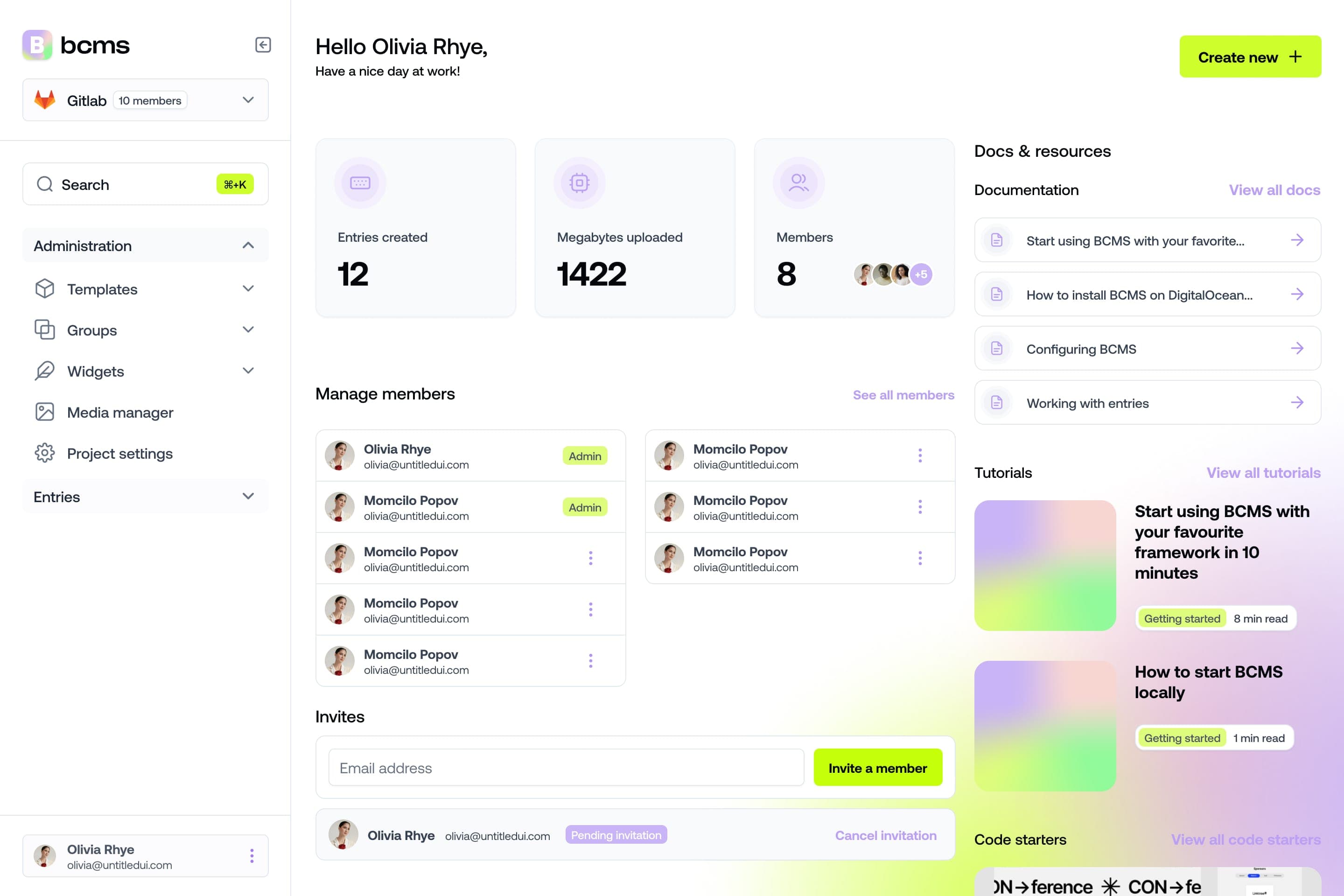
It takes a minute to start using BCMS
14-day free trial · No credit card required
What is Enterprise Content Management software?
Enterprise Content Management (ECM) software helps organizations capture, organize, manage, secure, and govern business content throughout its entire lifecycle. Rather than acting as a simple document repository, modern ECM platforms centralize information, automate workflows, and ensure employees can securely access the content they need.
An enterprise content management platform typically manages both unstructured and structured content, including contracts, invoices, employee records, emails, digital assets, scanned documents, and customer communications. By bringing this information into a single system, organizations improve collaboration, reduce duplicate content, and maintain better control over business-critical information.
Modern ECM software also extends beyond document management. Today's platforms integrate with enterprise applications such as ERP, CRM, HR systems, and Microsoft 365 while supporting intelligent search, metadata management, workflow automation, and AI-powered content classification.
As organizations continue their digital transformation, enterprise content management software has become a foundational technology for improving operational efficiency, supporting regulatory compliance, and enabling secure collaboration across departments.
19 must-have features of enterprise content management software
Enterprise content management platforms vary in scope and complexity. Some focus primarily on document storage, while others combine workflow automation, records management, artificial intelligence, integrations, and enterprise-wide governance.
The following capabilities provide a practical baseline for evaluating whether a platform can support your organization's content operations, security requirements, and future growth.
Here's a summary of the top ECM features to prioritize:
1. Scalability
As your organization grows across users, departments, locations, and content volumes, your ECM platform must scale with it.
Scalability means your system can handle increasing volumes of content without slowing down or requiring a complete overhaul. A scalable ECM ensures consistent performance whether you're managing thousands or millions of documents, and whether you're supporting 10 users or 10,000.
2. Security and compliance
Enterprise content often includes sensitive financial records, employee data, intellectual property, legal documents, and customer information. An ECM platform should provide encryption, access controls, auditability, retention capabilities, and support for relevant regulatory requirements.
Security and compliance should be evaluated as separate but connected requirements. Security protects information from unauthorized access, while compliance capabilities help organizations apply, document, and demonstrate the policies governing that information.
3. User access control and permissions
Administrators should be able to control who can view, create, edit, approve, share, or delete specific content. Role-based access control allows permissions to reflect an employee's department, responsibility, location, or level of authority.
Granular permissions help protect confidential information while ensuring employees can access the content required to perform their work.
4. Content versioning and history tracking
Every time a document is edited, versioning stores the changes. History tracking lets you see who made what changes and when. Some systems even let you roll back to a previous version if needed. It provides traceability, accountability, and the peace of mind that nothing gets lost or overwritten by mistake.
5. Workflow automation and approvals
This feature automates routine content processes, like routing documents for approval or notifying stakeholders when an update is made. It supports custom workflows tailored to your business needs. It boosts productivity, reduces manual errors, and ensures consistent adherence to processes across teams.
6. Integration with third-party tools and APIs
ECM software should integrate with the systems employees already use, including ERP, CRM, HR, email, productivity, identity management, and collaboration platforms. APIs, webhooks, and prebuilt connectors help information move between systems without relying on repetitive manual work.
Strong integration capabilities reduce data silos and allow the ECM platform to become part of a broader enterprise technology stack.
7. Search and metadata management
ECM systems use metadata (tags, categories, dates, authorship) to organize and retrieve content quickly. Advanced search features let users find documents based on filters, keywords, or even content within files. It saves time and reduces frustration. Your team should never waste hours looking for the right document.
8. Multi-language and localization support
Large enterprises operate globally. This feature allows you to create and manage content in multiple languages and localize interfaces, workflows, and metadata. Enables global collaboration while respecting local language preferences and cultural nuances.
9. Cloud, on-premises, and hybrid deployment
Some enterprises need cloud-based access; others require on-premises systems for data sovereignty or regulatory reasons. Hybrid options are also gaining popularity. Flexibility in deployment ensures you can align your ECM setup with business policies, infrastructure, and security needs.
10. Backup and disaster recovery
Automated backups and built-in disaster recovery protocols ensure that your content is protected from data loss due to system failures, natural disasters, or cyberattacks. In an emergency, you need to recover fast without losing critical data.
11. Records management and retention policies
Enterprise organizations need to control how long information is retained, when it can be archived or deleted, and which records must be preserved for legal, regulatory, or operational reasons.
Records management capabilities help classify business records, apply retention schedules, prevent unauthorized disposal, and maintain reliable documentation throughout the content lifecycle.
12. AI-driven content categorization and tagging
Using machine learning, ECM systems can automatically recognize content types (invoices, resumes, contracts) and apply relevant tags or categories. It reduces manual work and ensures consistent, intelligent organization of large content volumes.
13. Digital asset management (DAM) capabilities
ECM systems often include or integrate with DAM tools to handle rich media: videos, images, and design files. These tools support previewing, editing, and distribution. Not all content is a document. DAM lets marketing and creative teams manage visual assets efficiently.
14. Mobile accessibility
Whether through mobile apps or responsive web access, mobile-friendly ECM platforms ensure teams can access and manage content from anywhere. Supports remote work, field operations, and real-time collaboration regardless of device or location.
15. Collaboration and team features
Features like shared folders, commenting, version notes, and task assignments foster team collaboration within the ECM. Enables teams to work together in real time, even across different time zones or departments.
16. Performance and uptime guarantees
Top-tier ECM providers offer service-level agreements (SLAs) that promise 99.9% uptime, fast load times, and quick support responses.
17. Content analytics and reporting
These dashboards show you who’s using the system, what content is most accessed, where bottlenecks occur, and how workflows are performing.
18. Easy migration and Import/Export options
Whether you're switching from another ECM or onboarding new teams, migration tools help bring in legacy data smoothly. Exporting also allows content portability and backups. Reduces friction during system changes and ensures data is never locked in.
19. API-first architecture
An API-first ECM is designed to be extensible and easily programmable, enabling developers to build custom interfaces, integrations, and apps on top of the platform. Future-proofing. You get the freedom to adapt and innovate without platform limitations.
How to choose an ECM
Selecting an enterprise content management platform involves more than comparing feature lists. Before evaluating vendors, identify your organization's priorities—from compliance and security to integrations, scalability, and long-term costs.
Use the checklist below as a starting point when comparing enterprise ECM solutions.
Evaluation criteria | What to look for | Why it matters |
|---|---|---|
Scalability | Support for growing users, documents, and workloads | Ensures the platform can grow with your business without performance issues. |
Deployment | Cloud, on-premises, or hybrid options | Allows you to meet infrastructure, budget, and data residency requirements. |
Security | Encryption, role-based access, MFA, SSO, audit logs | Protects sensitive business information and reduces security risks. |
Compliance | GDPR, HIPAA, retention policies, records management | Helps meet legal and industry-specific regulations. |
Integrations | Microsoft 365, Google Workspace, ERP, CRM, APIs | Reduces manual work and keeps information connected across systems. |
Document routing, approvals, notifications | Improves efficiency and eliminates repetitive manual tasks. | |
Intelligent search, metadata extraction, document classification | Helps employees find information faster and automate content organization. | |
Total Cost of Ownership | Licensing, implementation, migration, support | Provides a realistic view of long-term investment beyond subscription costs. |
While feature lists are important, they should never be the only factor in your decision. Organizations should also evaluate implementation complexity, vendor support, integration capabilities, and long-term scalability.
The best enterprise content management software isn't necessarily the platform with the most features; it's the one that best aligns with your business processes, security requirements, compliance obligations, and future growth.
Enterprise content management software comparison
Before exploring individual platforms, it's helpful to compare the leading enterprise content management solutions at a high level. While each platform has its own strengths, the right choice depends on your organization's size, compliance requirements, existing technology stack, and digital transformation goals.
Platform | Best for | Deployment | Enterprise Readiness | |
|---|---|---|---|---|
OpenText | Large regulated enterprises | Cloud / Hybrid | ✔ | Excellent |
IBM FileNet | Complex enterprise workflows | Cloud / Hybrid | ✔ | Excellent |
Microsoft SharePoint | Microsoft ecosystem | Cloud / On-prem | Limited | Excellent |
Hyland OnBase | Process automation | Cloud / Hybrid | ✔ | Excellent |
M-Files | Metadata-driven organizations | Cloud | ✔ | Excellent |
Laserfiche | Mid-size & enterprise | Cloud / Hybrid | ✔ | Very Good |
Alfresco | Open-source ECM | Cloud / On-prem | Moderate | Very Good |
BCMS | Structured content & omnichannel delivery | Cloud | Modern Content Platform |
Best enterprise content management software in 2026
The enterprise content management market includes solutions designed for different business needs, from highly regulated industries to organizations focused on collaboration, workflow automation, or digital transformation. Below are several of the leading ECM platforms, each offering a different combination of governance, security, integrations, and scalability.
1. OpenText Content Suite
Best for: Large enterprises with complex compliance and records management requirements.
OpenText Content Suite is one of the most established enterprise content management platforms, helping organizations manage documents, records, and business processes at scale. It offers strong governance capabilities, enterprise security, and extensive integrations with SAP and other enterprise systems.

Key strengths
Advanced records management
Strong compliance capabilities
Enterprise workflow automation
Extensive enterprise integrations
Microsoft SharePoint
Best for: Organizations already using Microsoft 365.
Microsoft SharePoint combines document management, collaboration, and intranet capabilities within the Microsoft ecosystem. It integrates closely with Teams, Outlook, OneDrive, and other Microsoft applications, making it a common choice for enterprise collaboration.

Key strengths
Microsoft 365 integration
Team collaboration
Document libraries
Flexible permissions
3. IBM FileNet Content Manager
Best for: Large organizations with complex document workflows.
IBM FileNet provides enterprise-scale content services with workflow automation, governance, AI-assisted classification, and advanced document lifecycle management. It is commonly used in highly regulated industries such as banking, insurance, and healthcare.

Key strengths
Enterprise automation
AI-powered classification
Governance
Scalability
4. Hyland OnBase
Best for: Organizations looking to automate document-intensive business processes.
Hyland OnBase is an enterprise content management platform that combines document management, workflow automation, records management, and case management in a single solution. It is widely used by organizations in healthcare, government, financial services, and higher education that need to manage large volumes of business documents while maintaining compliance and operational efficiency.

Key strengths
Workflow and process automation
Document and case management
Enterprise integrations
Strong compliance capabilities
Considerations
Organizations with simpler document management needs may find OnBase more comprehensive than necessary, and implementation often requires careful planning.
5. M-Files
Best for: Organizations that want to organize information using metadata rather than traditional folder structures.
M-Files takes a metadata-driven approach to enterprise content management, allowing users to locate information based on what it is instead of where it is stored. The platform includes intelligent document management, workflow automation, AI-assisted classification, and integrations with Microsoft 365, Salesforce, and other enterprise applications.

Key strengths
Metadata-driven organization
Intelligent search
AI-powered document classification
Flexible integrations
6. Laserfiche
Best for: Mid-size and enterprise organizations focused on process automation.
Laserfiche combines enterprise content management with low-code workflow automation, electronic forms, and records management. The platform helps organizations digitize paper-based processes, improve collaboration, and strengthen compliance through centralized document governance.

Key strengths
Workflow automation
Records management
Low-code process design
Compliance support
7. BCMS
Best for: Organizations building modern digital experiences alongside enterprise content operations.
BCMS is an API-first content platform designed to manage structured content across websites, mobile applications, customer portals, and other digital channels. Unlike traditional enterprise content management systems that primarily focus on internal document governance, BCMS emphasizes content reusability, omnichannel delivery, and developer flexibility.

For organizations that already use an ECM platform, BCMS can complement existing document management processes by providing a modern way to create, manage, and distribute customer-facing content while keeping internal records within dedicated ECM systems.
Key strengths
API-first architecture
Structured content modeling
Omnichannel content delivery
Developer-friendly integrations
Compliance and governance features to look for
Enterprise content management software plays a critical role in helping organizations meet regulatory and internal governance requirements. Beyond storing documents, modern ECM platforms should support policies that ensure information is retained, protected, and managed throughout its lifecycle.
When evaluating enterprise content management software, consider the following compliance capabilities:
Capability | Why it matters |
|---|---|
Audit trails | Track every document view, edit, approval, and deletion to support audits and investigations. |
Retention policies | Automatically retain or dispose of content according to legal or business requirements. |
Records management | Classify and preserve business records throughout their lifecycle. |
Version control | Maintain a complete history of document revisions while preventing accidental data loss. |
Legal holds | Prevent records from being modified or deleted during litigation or investigations. |
Access controls | Limit access to sensitive information based on user roles and responsibilities. |
Depending on your industry, your ECM platform may also need to support regulations such as GDPR, HIPAA, SOX, or other regional and industry-specific compliance frameworks. Choosing a solution with built-in governance capabilities helps reduce legal risk while simplifying audits and regulatory reporting.
Enterprise security considerations
Protecting business content is just as important as making it accessible. Enterprise organizations manage sensitive contracts, financial records, customer information, and intellectual property that require robust security controls.
Security feature | Business benefit |
|---|---|
Single Sign-On (SSO) | Simplifies authentication. |
Multi-Factor Authentication (MFA) | Adds protection. |
Role-Based Access Control (RBAC) | Restricts access. |
Encryption | Protects data. |
Audit logging | Tracks activity. |
API security | Secures integrations. |
In addition to these core capabilities, enterprise organizations should evaluate how well an ECM platform integrates with identity providers, security information and event management (SIEM) tools, and existing IT governance policies. Strong security should enhance productivity without creating unnecessary friction for employees.
The business value of ECMSs
Implementing enterprise content management software is more than a technology upgrade; it’s an investment in operational efficiency, compliance, and long-term scalability.
While the exact ROI depends on an organization's size and processes, modern ECM platforms consistently deliver value by reducing manual work, improving collaboration, and minimizing business risk.
The greatest benefits often come from optimizing everyday business processes rather than simply replacing file storage.
Business outcome | How ECM delivers value |
|---|---|
Faster document retrieval | Employees spend less time searching for information thanks to centralized storage, metadata, and intelligent search. |
Improved productivity | Workflow automation reduces manual approvals, repetitive tasks, and administrative overhead. |
Lower compliance risk | Audit trails, retention policies, and records management help organizations meet regulatory requirements with confidence. |
Better collaboration | Teams work from a single source of truth with version control and shared workflows. |
Reduced operational costs | Digital workflows reduce paper-based processes, file duplication, and storage costs. |
Scalable operations | A centralized content platform supports business growth without increasing administrative complexity. |
Organizations should evaluate the total cost of ownership (TCO), including licensing, implementation, migration, integrations, user training, and ongoing administration. The most valuable ECM platform ic the one that delivers measurable improvements in efficiency, governance, collaboration, and long-term scalability.
Enterprise content management vs. content management systems
Although the terms Enterprise Content Management (ECM) and Content Management System (CMS) are sometimes used interchangeably, they solve different business challenges.
An ECM platform is designed to manage internal business content throughout its lifecycle. It supports document creation and collaboration, as well as governance, compliance, and long-term retention.
A CMS, on the other hand, focuses on creating, managing, and publishing digital content for external audiences, such as websites, mobile applications, customer portals, and other digital experiences.
For many enterprise organizations, these systems complement rather than replace each other.
ECM vs CMS comparison
Feature | Enterprise Content Management (ECM) | Content Management System (CMS) |
|---|---|---|
Primary purpose | Manage internal business documents and records | Create and publish digital content |
Main users | Operations, HR, Finance, Legal, Compliance | Marketing, Content, Digital, Development |
Content types | Contracts, invoices, policies, employee records, business documents | Web pages, blogs, product content, landing pages, digital assets |
Focus | Governance, security, compliance, document lifecycle | Content creation, personalization, omnichannel delivery |
Typical integrations | ERP, CRM, HR systems, document workflows | E-commerce, CRM, marketing automation, analytics |
Success metric | Operational efficiency and compliance | Customer engagement and digital experience |
When to use an ECM?
Choose an ECM platform when your organization needs to:
Manage contracts, invoices, HR records, and regulated business documents.
Automate document review and approval workflows.
Enforce retention policies and regulatory compliance.
Secure confidential information with centralized governance.
When to use a CMS
Choose a content management system when your organization needs to:
Publish websites, landing pages, and digital experiences. From blog posts to landing pages to marketing content, CMS platforms like BCMS, WordPress, Drupal, or Contentful help non-technical users manage site content easily.
Deliver structured content across multiple channels.
Enable marketers and editors to manage content independently.
Support omnichannel customer experiences.
When do you need both?
Many organizations assume they must choose between an ECM platform and a CMS. In reality, enterprises often use both.
For example:
An HR department stores employee contracts, onboarding documents, and compliance records in an ECM platform.
At the same time, the marketing team manages website content, campaign pages, and product information in a CMS.
Together, these systems ensure that internal business information remains secure and governed while customer-facing content can be published quickly across digital channels.
Evolution of enterprise content management
Enterprise content management has evolved beyond document repositories and file storage. As organizations deliver content across websites, mobile apps, customer portals, digital kiosks, and other channels, many are complementing traditional ECM capabilities with modern, API-first content platforms.
Rather than managing documents alone, today's enterprise content strategies focus on delivering structured content wherever employees and customers need it.
Where Headless CMS Fits In
A headless CMS separates content management from content presentation, allowing organizations to create content once and publish it across multiple digital channels through APIs.
Unlike traditional content management systems that tightly couple content with a website, a headless architecture gives development teams greater flexibility while enabling marketers to manage content from a central location.
For enterprise organizations, this approach supports faster digital experiences without sacrificing governance or scalability.
Top Headless CMS platforms for enterprises
Contentful – Popular among teams seeking flexibility and integrations
BCMS – Fast, developer-first CMS optimized for performance
Sanity – Real-time collaboration, structured content modeling
Strapi – Open-source CMS with full developer control
Prismic – Ideal for simple websites with a strong brand identity.
If you’re trying to choose the best CMS option for your enterprise project, I recommend checking out the comparison pages on the BCMS website. There, you can explore how BCMS stacks up against other leading headless CMS platforms and find the right fit for your team’s workflow and technical requirements.
Explore comparison guides:
Traditional ECM vs. modern content platforms
Traditional ECM | Modern Headless Content Platform |
|---|---|
Focuses on document management | Focuses on structured content |
Primarily supports internal users | Supports both internal teams and customer-facing channels |
Document-centric workflows | Omnichannel content delivery |
Strong governance and compliance | Flexible APIs and content reuse |
Optimized for records management | Optimized for digital experiences |
Why Enterprises Combine Both
Many organizations don't replace enterprise content management software—they extend it.
A common architecture combines the strengths of both platforms:
An ECM platform manages contracts, invoices, employee records, and other regulated business documents.
A headless CMS manages customer-facing content such as websites, mobile apps, self-service portals, and digital experiences.
APIs connect both systems, allowing organizations to maintain governance for internal information while delivering consistent content across digital channels.
This hybrid approach enables enterprises to modernize customer experiences without disrupting established business processes or compliance requirements.
Choosing the right approach
The right solution depends on your organization's priorities.
Your priority | Recommended approach |
|---|---|
Secure document storage and records management | Enterprise Content Management (ECM) |
Digital experiences across multiple channels | Headless CMS |
Both operational governance and omnichannel delivery | Combine ECM with a headless CMS
|
For many enterprise organizations, the decision is not ECM or CMS. Instead, it's about building an architecture where each platform serves a distinct purpose. ECM systems provide governance, compliance, and document lifecycle management, while headless CMS platforms deliver structured content to websites, mobile apps, portals, and other digital channels. Together, they create a flexible and scalable enterprise content ecosystem.
Conclusion: Use BCMS for your content services
Effective content management is pivotal for organizational success. By understanding the distinct roles of ECM and CMS and recognizing the advantages of headless CMS architectures, businesses can craft strategies that enhance efficiency, ensure compliance, and deliver exceptional digital experiences.
It takes a minute to start using BCMS
14-day free trial · No credit card required
FAQs about enterprise content management software
What is enterprise content management software?
Enterprise content management (ECM) software helps organizations capture, organize, store, secure, and govern business content throughout its lifecycle. Modern ECM platforms go beyond document storage by supporting workflow automation, enterprise search, compliance, records management, and integrations with other business systems.
What is the difference between enterprise content management and document management?
Document management focuses primarily on storing, organizing, and retrieving files. Enterprise content management takes a broader approach by adding workflow automation, records management, governance, compliance, version control, and lifecycle management for business content across the organization.
Which industries benefit most from enterprise content management software?
Enterprise content management software is widely used in industries that manage large volumes of business-critical or regulated information, including healthcare, financial services, government, legal, manufacturing, insurance, and higher education. However, organizations of any size can benefit from improved content governance, collaboration, and workflow automation.
Should I choose a cloud-based or on-premises ECM platform?
Cloud-based ECM solutions generally offer faster deployment, easier scalability, automatic updates, and lower infrastructure costs. On-premises deployments may be better suited for organizations with strict regulatory, security, or data residency requirements. Many enterprise vendors also support hybrid deployment models.
How does AI improve enterprise content management?
AI enhances enterprise content management by automatically classifying documents, extracting metadata, improving enterprise search, recommending relevant content, and automating repetitive workflows. These capabilities help employees find information faster while reducing manual administrative work.
Can enterprise content management software integrate with other business systems?
Yes. Most modern ECM platforms integrate with enterprise applications such as Microsoft 365, Google Workspace, ERP systems, CRM platforms, HR software, identity providers, and collaboration tools. Strong integration capabilities help eliminate information silos and streamline business processes.
How do I choose the right enterprise content management software?
Start by evaluating your organization's requirements around scalability, security, compliance, workflow automation, integrations, deployment options, and total cost of ownership. Rather than choosing the platform with the longest feature list, focus on selecting a solution that aligns with your business processes, supports future growth, and integrates with your existing technology stack.
It takes a minute to start using BCMS
14-day free trial · No credit card required
Try BCMS free
Headless CMS for developers. Agents and clients can edit content. You keep the code.
14-day free trial · No credit card required
Try BCMS free
14-day free trial. No credit card. It takes a minute to start using BCMS.
Content
Try BCMS free
Headless CMS for developers. Agents and clients can edit content. You keep the code.
14-day free trial · No credit card required
Continue reading

Best headless CMS for AI SaaS in 2026
Choosing the right headless CMS is critical for AI SaaS products in 2026

Contentful vs WordPress: which CMS to pick (and when to migrate)
A practical Contentful vs WordPress comparison: architecture, Next.js setups, Contentful CLI migrations, competitors, and when BCMS is the better alternative.

Multisite CMS: Complete guide to managing multiple websites
Multisite CMS: Streamline your workflow & manage multiple websites efficiently. Centralize content, simplify updates, and gain control over all your sites.