

7 things BCMS can do as a Forestry alternative
This is what BCMS does better:
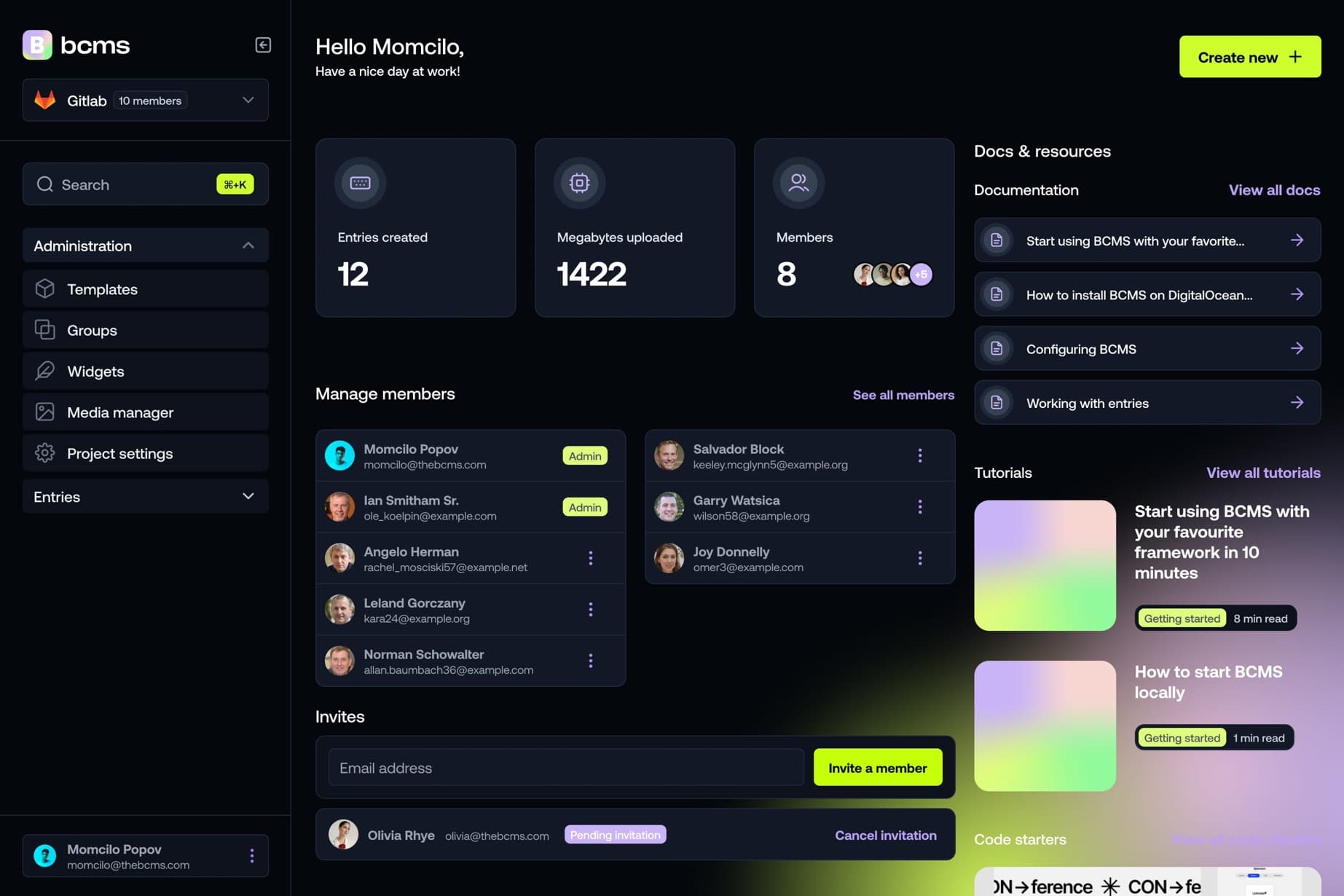
Visual modeling (no config files)
BCMS: Build templates and content types visually inside the dashboard — no YAML config files required.
Forestry: Required a config.yml file in your Git repo to define collections, fields, and editor behavior.
Native REST & GraphQL APIs
BCMS: Deliver content to any frontend, mobile app, or channel via REST and GraphQL APIs.
Forestry: Stored content as Markdown/YAML files in Git. No REST or GraphQL API for programmatic content delivery.
Global search
BCMS: Find any entry instantly across your entire content library from one search bar.
Forestry: No global search across content. Editors navigated folder structures in the Git-backed file tree.
Built-in serverless functions
BCMS: Run server-side logic inside BCMS without managing separate infrastructure.
Forestry: No built-in serverless functions. Any custom logic required external services or build pipelines.
Automatic TypeScript support
BCMS: Pull types automatically from your content model for type-safe frontend development.
Forestry: No automatic type generation. Developers manually typed content structures.
Widgets embedded in free text
BCMS: Embed reusable content blocks directly inside rich text fields.
Forestry: Content was limited to Markdown front matter and body fields defined in config files.
Active development & support
BCMS: Actively maintained with regular updates, MCP support, and agent skills for AI workflows.
Forestry: Discontinued in 2021 after Netlify acquired it. Users were migrated to Netlify CMS (now Decap CMS).
AI agents & MCP: BCMS vs Forestry
BCMS is built for the agentic era. Connect Cursor, Claude Code, or any MCP client to manage entries, media, and schemas in plain English — with scoped keys and open-source bcms agent skills. Forestry was a Git-based static site CMS with no AI or MCP capabilities, and the platform has been discontinued since 2021.bcms agent skills. Forestry is a schema-first developer CMS with no AI or MCP homepage messaging. BCMS adds MCP, agent skills, and visual modeling for mixed dev/marketing teams.
See the full setup guide - MCP config, install commands, and copy-paste prompts - on theBCMS agents page.
Summary: 7 things BCMS can do better than Forestry
BCMS delivers advanced features out of the box, including visual modeling, global search, automatic TypeScript typing, serverless functions, widget embedding, nested folders, granular permissions, and native MCP support. Forestry required YAML config files, stored content in Git, and offered no REST/GraphQL APIs — and is no longer maintained.Forestry alternative.
It takes a minute to start using BCMS
14-day free trial · No credit card required
BCMS vs Forestry: Headless CMS comparison
Editor experience
Multilingual Dashboard
The CMS supports multiple languages for a globally accessible interface.
Forestry doesn't include thisBCMS doesn't include thisMultilanguage Content
Create and manage content in multiple languages for global audiences.
Forestry doesn't include thisBCMS includes thisScheduling & Releases
Schedule content to publish automatically at a chosen date and time.
Forestry doesn't include thisBCMS doesn't include thisContent Versioning
Track and manage content changes with the ability to revert to earlier versions.
N/ABCMS includes thisAutosave
Changes are saved automatically to prevent data loss from unexpected issues.
Forestry doesn't include thisBCMS doesn't include thisPreview Content
View content as it will appear live before publishing
Forestry includes thisBCMS doesn't include thisMultiple Environments
Manage content across development, staging, and production to safely test before going live.
Forestry includes thisN/AWorkflow
Define approval steps for content: writers submit, editors review, and only approved content gets published.
Forestry doesn't include thisBCMS doesn't include thisCustomizable UI
Customization of CMS interface to fit your brand and specific workflow requirements.
Forestry doesn't include thisBCMS doesn't include this
BCMS vs Forestry: Complete feature comparison
Team Management
User Roles
Predefined roles (like admin, editor, viewer) with specific permissions.
Forestry includes thisBCMS includes thisCustom User Roles
Define user roles with custom permissions to fit your organization’s requirements.
Forestry doesn't include thisBCMS includes thisOrganization Management
Manage user groups and control access levels across your CMS.
Forestry includes thisBCMS includes this
BCMS vs Forestry: Complete feature comparison
DEV experience
REST API
Interact with the CMS using standard HTTP requests following REST principles.
Forestry doesn't include thisBCMS includes thisGraphQL API
Fetch precisely the data you need with a flexible and efficient GraphQL interface.
Forestry doesn't include thisBCMS doesn't include thisImages API
Upload, process, and retrieve images through a dedicated API for media management.
Forestry doesn't include thisBCMS includes thisContent Management API
API for managing content, including creating, updating, and deleting content items.
Forestry doesn't include thisBCMS includes thisField Types
Different types of data fields available for content, such as text, number, date, media, etc.
Forestry includes thisBCMS includes thisCustom Field Types
Forestry doesn't include thisBCMS doesn't include thisWebhooks
Send real-time updates to other systems when events like content publishing occur.
Forestry doesn't include thisBCMS includes thisCLI
Command Line Interface tools that allow developers to perform tasks and manage the tool via the command line.
Forestry doesn't include thisBCMS includes thisSDK
Developer tools and code snippets to easily integrate the CMS into your project.
Forestry doesn't include thisBCMS includes this
BCMS vs Forestry: Complete feature comparison
Free trial
Free trial available
Start with a 14-day free trial before choosing Hobby or Pro.
Forestry includes thisFree trialTeam Members
The number of users (team members) that can be added to the CMS.
N/A2Locales
The number of different languages and regional settings the CMS supports for content creation and management.
N/AUnlimitedProjects
Support for managing multiple projects within the same CMS account.
N/ABCMS includes this
BCMS vs Forestry: Complete feature comparison
Security & Compliance
Two-factor authentication
Forestry doesn't include thisBCMS doesn't include thisTeam Logs
Monitor user actions in the CMS to maintain visibility and accountability.
Forestry doesn't include thisBCMS includes thisGDPR
N/ABCMS includes thisSOC2
Forestry doesn't include thisBCMS doesn't include thisISO27001
Forestry doesn't include thisBCMS doesn't include this
BCMS vs Forestry: Complete feature comparison
Other
Extensions
Additional plugins or add-ons that can enhance the functionality of the platform.
Forestry doesn't include thisBCMS doesn't include thisBuilt-in Backups & Restore
Features that automatically back up content and settings, allowing easy restoration in case of data loss.
Forestry doesn't include thisBCMS includes this
It's time...
It takes a minute to start using BCMS
14-day free trial · No credit card required
What you should know about Forestry?
Quick answers to the most common questions about Forestry, explained simply.
What is Forestry?
Forestry was a Git-based CMS for static site generators like Hugo, Jekyll, and Gatsby. It let editors manage Markdown and YAML content through a web UI while storing everything in a Git repository. Netlify acquired Forestry in 2020 and discontinued the service in 2021, migrating users to Netlify CMS (now Decap CMS).
Is Forestry still available?
No. Forestry was shut down in 2021. Existing users were migrated to Netlify CMS. If you are looking for a Forestry alternative today, BCMS offers a modern headless CMS with visual modeling, REST/GraphQL APIs, and active development.
Is Forestry free?
Forestry offered a free plan for small teams and open-source projects, with paid plans for larger teams. Since the platform is discontinued, new sign-ups are no longer possible.
Forestry pros and cons?
Pros: Git-based workflow with version control built in; simple editor for Markdown content; preview via Git branches; free tier for small projects. Cons: Required YAML config files; no REST or GraphQL API; no multilingual support; discontinued with no active development; limited to static site generators.
Forestry vs Decap CMS?
Decap CMS (formerly Netlify CMS) is the direct successor to Forestry after the Netlify acquisition. Both are Git-based and config-driven. BCMS takes a different approach: API-first delivery, visual content modeling, and no Git dependency for content storage.
When should you switch from Forestry to BCMS?
Consider BCMS if you need a CMS that is actively maintained, want REST/GraphQL APIs for multi-channel delivery, require multilingual content out of the box, or prefer visual modeling over YAML config files.
It takes a minute to start using BCMS
14-day free trial · No credit card required