
Composable CMS: What it is & why your stack should be flexible

By Arso Stojović•November 20, 2026•19 min read
A composable CMS is a content management system designed to work as one part of a modular technology stack.
Instead of asking one CMS to manage your content, frontend, search, analytics, commerce, personalization, and every other part of the digital experience, a composable approach lets you choose the tools you need and connect them through APIs.
Think of it less as buying a finished software suite and more as building your own stack.
Your CMS manages structured content. Your frontend framework renders the experience. A dedicated service can handle search. Another can manage digital assets. Commerce, authentication, analytics, and personalization can come from separate services.
The important part is that these systems can work together without becoming one tightly coupled application.
That distinction is what makes a CMS composable.
What is a composable CMS?
A composable CMS is an API-first content management system that allows content, frontend applications, and specialized third-party services to operate as independent parts of the same digital experience.
In practice, a composable stack might contain:
a DAM for images and other digital assets
an e-commerce platform for products and checkout
a search service
analytics
authentication
personalization tools
These services communicate primarily through APIs, webhooks, and other standardized interfaces.
This means you don't have to replace your entire platform because one part no longer works for you.
You can replace the part.
And that is arguably the most useful way to understand composability.
Composable CMS vs Traditional CMS
Traditional CMS platforms were built around a different assumption: the CMS should provide most of what you need to create and deliver a website.
Content management, templates, rendering, plugins, themes, and other functionality live within the same platform.
That can be convenient.
For a simple website, it may even be exactly what you need.
Problems tend to appear as requirements grow.
Imagine that your company now has:
three websites
a mobile application
content in five languages
a product catalog
a separate customer portal
an existing DAM
a custom search engine
several development teams
Trying to make all of those requirements conform to one CMS can gradually turn convenience into a constraint.
A composable CMS approaches the problem from the opposite direction.
Instead of:
CMS → everything else
you get something closer to:
CMS ↔ frontend ↔ search ↔ commerce ↔ DAM ↔ other services
Each system has a defined responsibility.
Traditional CMS | Composable CMS |
|---|---|
Frontend and backend are usually tightly connected | Content and presentation are separated |
Features come primarily from one platform | Features can come from specialized services |
Platform defines much of the technology stack | Teams choose the technologies they need |
Replacing functionality can require changing the platform | Individual services can be replaced |
Primarily website-oriented | Designed for multiple digital experiences |
Content can depend heavily on page templates | Content is typically structured and reusable |
This doesn't automatically make composable better.
It makes it more flexible.
Whether that flexibility is worth the additional architectural complexity depends on what you're building.
How does a composable content management system work?
A composable CMS works by separating responsibilities that would traditionally live inside one application.
The CMS becomes responsible primarily for content.
Other systems handle the jobs they are best suited for.
Consider an e-commerce website.
The CMS could contain:
product descriptions
landing-page copy
buying guides
FAQs
campaign content
A commerce platform could contain:
prices
inventory
orders
checkout logic
A DAM could contain:
product photography
videos
brand assets
A search provider could handle:
product search
autocomplete
filtering
And a Next.js application could bring everything together in the user interface.
The customer still experiences one website.
Behind that website, however, multiple independent services are working together.
That's composability in practice.
APIs connect the stack
APIs are what make this architecture possible.
A composable CMS doesn't need to know how your website is built. It needs to provide a reliable way for another application to request its content.
For example, the frontend can request an article from the CMS, product information from a commerce API, and images from an asset platform before rendering them as a single page.
Because those connections are explicit, developers can change one layer without necessarily rebuilding the others.
Webhooks keep systems synchronized
Not every integration needs to ask whether something changed continuously.
Webhooks allow one system to notify another when an event occurs.
Publishing an article, for example, could trigger:
a new frontend build,
a cache invalidation,
a search index update,
or another automated workflow.
This is an important part of making independently managed systems behave like one platform.
The frontend remains independent
A composable CMS normally doesn't dictate how content must look.
Your frontend team can use whichever framework makes sense for the project.
The same CMS can therefore serve content to:
a React website,
a native mobile application,
an e-commerce storefront,
a documentation portal,
a kiosk,
or a future interface you haven't built yet.
The content remains usable because it isn't permanently tied to a single presentation layer.
The building blocks of a composable CMS

Not every composable stack needs ten different SaaS products.
In fact, adding services simply because you can is one of the easiest ways to make composable architecture unnecessarily complicated.
Most implementations start with a few fundamental building blocks.
1. Structured content
Composable content starts with structure.

Instead of storing an entire page as one large piece of HTML, content is modeled as reusable fields and components.
An article, for example, might contain:
title
slug
author
introduction
sections
images
related articles
SEO metadata
Because the structure is known, applications can decide how to present that content.
The website might show the complete article.
A mobile application might show only the title, image, and summary.
Another service could use the structured fields as data without having to extract information from HTML.
This is why content modeling is much more than CMS housekeeping in a composable system. It determines how reusable your content actually is.
2. Headless content delivery
Content needs to be available independently of the interface used to manage it.
A headless CMS provides that separation by exposing content through an API instead of coupling it to a predefined frontend.
This is one reason headless CMS and composable CMS are frequently used as if they mean the same thing.
They don't.
We'll get to that distinction shortly.
3. Independent frontend
Your presentation layer is its own application.

Developers can choose frameworks and hosting infrastructure based on the requirements of the experience instead of the limitations of the CMS.
That also means a frontend can evolve independently.
Changing from one frontend framework to another shouldn't require migrating all of your content to another CMS.
4. Specialized services
This is where a composable stack becomes specific to your business.
You might connect:
Algolia for search
Stripe for payments
Shopify for commerce
Cloudinary for media
an authentication provider
a personalization engine
internal APIs
your own custom services
Another company might choose an entirely different combination.
That's the point.
There isn't one canonical composable stack.
5. Integrations and orchestration
Independent tools still need to behave like one system.
APIs, SDKs, webhooks, events, and integration logic connect the individual services.
This layer is easy to underestimate.
Selecting excellent individual products doesn't automatically produce an excellent composable system. The quality of the integrations between them matters just as much.
Are headless and composable CMS the same CMS?
No.
A headless CMS separates content management from presentation.
A composable CMS applies modularity beyond that separation and allows the broader digital stack to be assembled from independent services.
Put another way:
Headless answers: Can I use a different frontend?
Composable answers: Can I independently choose and replace the systems that make up my digital experience?
A headless CMS is therefore often an important part of a composable stack.
But using a headless CMS doesn't automatically make the entire architecture composable.
You could build a headless application where every other part of the system is still tightly coupled.
Likewise, a composable implementation may include a CMS, search provider, commerce engine, DAM, frontend, and internal services that can evolve independently.
Headless is about decoupling the frontend.
Composable is about modularity across the stack.
For a deeper look at the architecture behind this approach, read our composable architecture guide.
Composable CMS vs monolithic CMS vs headless CMS
The difference becomes clearer when you compare all three approaches.
Traditional/monolithic CMS | Headless CMS | Composable CMS | |
|---|---|---|---|
Content management | Included | Included | Included |
CMS-controlled frontend | Usually | No | No |
API-first delivery | Limited/varies | Yes | Yes |
Framework freedom | Limited | High | High |
Multiple channels | Limited/varies | Strong | Strong |
Best-of-breed services | Plugin/integration dependent | Possible | Core principle |
Independent service replacement | Difficult | Partial | Designed for it |
Architectural complexity | Low–medium | Medium | Medium–high |
The progression isn't necessarily: bad → better → best.
It's more useful to think of it as: integrated → decoupled → modular.
Each step gives you more architectural freedom. Each step also gives your team more responsibility.
What are the benefits of a composable CMS?
The obvious answer is flexibility. But "flexibility" doesn't mean much until you translate it into practical consequences.
Replace tools without rebuilding everything
Suppose your search provider no longer meets your requirements.
In a tightly integrated system, replacing search could involve changing or upgrading a significant part of the platform.
In a well-designed composable system, search has a defined boundary.
Replace the service, update the integration, and leave the CMS, frontend, commerce platform, and content models alone wherever possible.
That reduces the blast radius of technology decisions.
Example: How to Migrate from Payload CMS to BCMS
Use the best tool for each job
An all-in-one platform has to be good at many things.
A composable stack lets you choose specialized tools.
Your CMS doesn't need to become your commerce platform.
Your commerce platform doesn't need to become your CMS.
Your CMS doesn't need to reinvent search because an excellent search service already exists.
Each component can focus on its primary job.
Reuse content across channels
Structured content isn't tied to a single page.
The same product description might appear on:
the main website,
a mobile app,
a campaign landing page,
a partner portal,
or another digital channel.
Instead of copying content into every system, the channel can request the appropriate content from the CMS.
This becomes increasingly important as the number of interfaces consuming content grows.
Let teams evolve independently
Frontend developers shouldn't need to redesign the content database every time they change a UI component.
Editors shouldn't need developers to manually update content whenever copy changes.
A good composable setup creates boundaries that allow teams to work independently without losing control of the overall experience.
Reduce long-term vendor lock-in
Composable doesn't eliminate vendors.
It reduces how much of your system depends on any single one.
If your content, frontend, search, assets, and commerce are not permanently fused into the same proprietary platform, individual pieces are easier to reconsider later.
That doesn't make migrations effortless.
It makes them more contained.
Scale individual parts of the system
Different parts of an application experience different loads.
A product search service might receive huge traffic during a sale while editorial activity inside the CMS remains unchanged.
With independently scalable services, you can allocate resources where they're actually needed rather than treating the whole platform as one unit.
Drawbacks of composable content platform
Composable architecture is often marketed as though separating everything into services automatically improves a project.
It doesn't. There are real trade-offs.
More integrations to maintain
Every additional service creates another connection.
Those connections require:
authentication,
monitoring,
error handling,
API version management,
testing,
and documentation.
Five excellent tools connected poorly can create a worse system than one adequate integrated platform.
More vendors
A traditional CMS might give you one contract and one support team.
A composable stack can give you several.
That can mean multiple:
subscriptions,
billing models,
SLAs,
support channels,
security reviews,
and renewal dates.
Large teams may be comfortable with that operational overhead.
Small teams may not be.
Architecture requires discipline
Modularity only helps if modules have sensible boundaries.
If every service depends heavily on every other service, you've simply created a distributed monolith, with network requests.
A successful composable stack therefore requires deliberate architecture rather than simply purchasing several API-first products.
Editors can suffer from fragmented workflows
Developers aren't the only people who use a CMS.
If editors have to jump between five interfaces to publish one page, the architecture may be technically elegant and operationally terrible.
Editorial experience should be part of the architecture decision from the beginning.
Total cost can become difficult to predict
Best-of-breed products often use different pricing models:
API calls,
bandwidth,
users,
content records,
requests,
storage,
traffic.
That flexibility can make costs more variable than a single CMS subscription.
When should you use a composable CMS?
A composable CMS makes the most sense when the limitations of an all-in-one platform are becoming more expensive than the complexity of managing a modular stack.
It's particularly useful when:
you have multiple websites or digital products,
content needs to appear across several channels,
your team already depends on specialized systems,
developers need frontend freedom,
different parts of your platform need to scale independently,
you expect your technology stack to change over time,
or replacing your existing CMS would otherwise mean replacing everything around it.
For example, imagine a company running websites in ten markets.
Marketing needs localized landing pages.
Commerce manages product data and checkout.
The design team maintains a large asset library.
Developers maintain several frontend applications.
Search requires specialized indexing.
Trying to push every requirement into one CMS creates a huge dependency on that platform.
A composable model allows each system to keep a narrower responsibility.
When should you not use a composable CMS?
This question gets much less attention, but it's equally important.
You probably don't need a complex composable stack simply because composability is modern.
A traditional or straightforward headless CMS may be a better choice if:
you're building a small marketing site,
you don't need multiple specialized services,
your technical team is small,
one platform already satisfies your requirements,
integration maintenance would cost more than the flexibility provides,
or you don't expect the stack to change significantly.
There is no prize for having the largest architecture diagram.
The goal isn't to maximize the number of components.
The goal is to keep components independent where independence creates useful flexibility.
A stack with a headless CMS, frontend, and one external service can be perfectly composable.
Composable CMS example
Imagine you're building an international e-commerce website.
You could use:
CMS: Stores editorial content, landing pages, buying guides, FAQs, navigation, and reusable content blocks.
Commerce platform: Manages products, inventory, prices, carts, and checkout.
DAM: Stores product photography and campaign assets.
Search service: Indexes products and editorial content.
Frontend: A Next.js application requests data from those services and renders the final experience.
Now imagine that your search requirements change.
You replace the search provider.
The content doesn't have to move.
The commerce platform doesn't have to move.
The frontend needs a new integration, but it doesn't need to be rebuilt from zero.
That's the practical value of composability: change can remain local instead of becoming a replatforming project.
If you want to see the broader architectural approach in practice, we've also broken down a composable architecture example using a headless CMS.
How to choose a composable CMS
Don't choose one by asking which platform has the longest feature list.
The more useful question is: How well will this CMS behave as part of the stack we want to build?
Here are the areas worth evaluating.
API quality
Your CMS will communicate constantly with other systems.
Look at:
API design
documentation
GraphQL and/or REST support
rate limits
SDKs
webhooks
filtering
caching
response performance
Don't evaluate this only from a feature page.
Build something with the API.
Content modeling
Reusable content depends on a flexible content model.
Check whether your team can comfortably represent:
reusable components
relationships
nested structures
taxonomies
localization
metadata
A CMS can have an excellent API and still become painful if its content model can't represent your actual domain.
Editor experience
Ask an editor to perform real tasks during the evaluation.
Can they:
create a page,
reuse an existing component,
preview changes,
localize content,
find an existing entry,
understand validation errors,
and publish safely?
A composable CMS shouldn't solve developer problems by creating editor problems.
Framework compatibility
The CMS should work with your frontend rather than forcing you into a proprietary presentation model.
Check its support for the frameworks your developers actually use.
Integration flexibility
Look beyond the vendor's marketplace.
Pre-built integrations are convenient, but composability ultimately depends on whether you can integrate services that aren't already listed there.
Roles and workflows
For larger organizations, evaluate:
permissions
publishing workflows
environments
versioning
audit history
localization permissions
approval processes
These features become increasingly important as more people, brands, and markets share the same content infrastructure.
Portability
Ask the uncomfortable question before you sign the contract:
How difficult would it be to leave?
Check how easily you can export:
content,
media references,
schemas,
relationships,
and metadata.
A platform shouldn't market composability while creating unnecessary lock-in around your content.
Pricing at your expected scale
Don't compare only starter plans.
Estimate what the system costs at:
your expected API traffic,
number of users,
number of locales,
content volume,
bandwidth,
and production environments.
Composable systems make replacing individual tools easier, but poor pricing assumptions can still become expensive architecture decisions.
How to start with a composable CMS
You don't need to redesign your entire stack on day one.
In many cases, gradual adoption is safer.
Step 1: Identify the constraint
Start with the reason you're considering composability.
Maybe your CMS is limiting frontend development.
Maybe content is duplicated across channels.
Maybe commerce and editorial content have become difficult to coordinate.
Maybe your current platform makes every new integration expensive.
Define that problem first.
Step 2: Separate content from presentation
Moving toward structured, API-delivered content creates a foundation for composability.
This is where a headless CMS becomes useful.
Step 3: Model content for reuse
Avoid rebuilding your existing pages field-for-field inside a new CMS.
Instead, identify reusable content concepts.
Model the content, not the old templates.
Step 4: Add specialized services when they solve a real problem
Don't start by drawing twelve boxes.
Start with the smallest useful stack.
Add dedicated search when you need dedicated search.
Add a DAM when your asset requirements justify it.
Add personalization when you have a personalization strategy.
Composable architecture gives you the ability to add these pieces later.
You don't have to add them now.
Step 5: Keep boundaries clear
Each service should have an understandable responsibility and source of truth.
If product prices belong to your commerce platform, don't create a second manually maintained copy inside the CMS.
If the CMS owns editorial content, other systems should consume that content rather than silently duplicating it.
Clear ownership is what keeps a composable stack manageable as it grows.
Composable CMS in the age of AI agents
So far, we've looked at composability mostly from the perspective of people creating content and applications consuming it.
AI agents introduce another participant.
Unlike a website that simply requests content and displays it, an agent can potentially retrieve information, call different services, and perform actions across the stack.
Consider the e-commerce example from earlier.
Instead of a marketing team manually gathering everything needed for a new product campaign, an AI agent could retrieve product data from the commerce platform, find approved assets in the DAM, use existing content from the CMS as context, prepare a new campaign entry, and send it into an editorial workflow for review.
It doesn't require the CMS to provide all of those capabilities.
It requires the systems involved to expose them in ways the agent can access.
That's where composability becomes particularly interesting.
From API-first to agent-accessible
APIs originally gave developers a way to connect independent applications.
They can also give AI agents a way to interact with those applications.
In a composable stack, the CMS can remain the source of truth for content while agents work across the services surrounding it.
One agent might use approved CMS content to answer customer questions. Another could identify outdated product pages using analytics data and prepare updates. Another might combine product information, existing content, and approved assets to create a campaign draft.
The CMS doesn't have to become an AI platform.
It needs to make its content and capabilities accessible to the tools that need them.
Learn more: BCMS AI Agent capabilities: What makes an AI Agent useful?
Content models can put boundaries around AI
There's another reason the content model matters here.
AI is very good at generating text. Production content systems need something more predictable.
If an agent is asked to create a product page, the CMS doesn't have to accept an arbitrary block of generated content. The existing content model can define exactly what the agent needs to produce: a headline, introduction, benefits, FAQ, SEO metadata, and relationships to other content.
The same schemas and validation rules that create consistency for human editors can therefore create useful boundaries for AI-generated content.
The model can generate.
The CMS can define the structure.
And humans can remain part of the workflow where review and approval are required.
AI becomes another composable part of the stack
The relationship works in the other direction too.
There is little reason to assume that the AI model, agent framework, or tooling you choose today will still be the best choice several years from now.
A composable approach means AI doesn't have to become another permanent dependency.
You could use different models for different tasks, introduce specialized agents, or replace an AI provider as the technology changes without redesigning the content layer around it.
And that leads to a more useful way of thinking about the future of composable CMS.
The value of composability isn't that it prepares your stack for one particular future.
It's that you don't have to predict the future correctly.
Websites can change. Frontend frameworks can change. Search providers can change. And now AI models and agents can change too.
Your content shouldn't have to move every time they do.
Composable CMS FAQ
What is a composable CMS in simple terms?
A composable CMS is a content management system that works as part of a modular technology stack. Instead of relying on one platform for every feature, teams can connect the CMS with independent tools for the frontend, search, commerce, media, analytics, and other capabilities.
Is a composable CMS headless?
A composable CMS generally uses headless principles because content needs to be available independently through APIs. However, headless and composable are not synonyms. Headless separates content from presentation, while composability describes the modularity of the broader technology stack.
What is the difference between composable CMS and traditional CMS?
A traditional CMS usually bundles content management and presentation with a larger set of platform features. A composable CMS separates responsibilities so independent services can be selected, integrated, scaled, and replaced individually.
What are the main benefits of composable CMS?
The primary benefits are technology flexibility, reusable content, independent scaling, easier integration with specialized services, reduced dependence on a single platform, and the ability to replace individual parts of a stack without a complete replatform.
What are the disadvantages of composable CMS?
Composable systems can introduce more integrations, vendors, operational complexity, and unpredictable costs. They also require clear architectural boundaries and enough technical expertise to maintain the connections between services.
Do small businesses need a composable CMS?
Not necessarily. If a conventional CMS already handles your website and workflows well, adding multiple independent services can create complexity without meaningful benefits. Composable CMS becomes more valuable as channels, integrations, teams, and technical requirements grow.
What is composable content?
Composable content is structured content created from reusable elements that can be assembled and delivered in different contexts. Instead of being permanently tied to one page layout, the same content can be used by multiple pages, applications, and digital channels.
What is the relationship between MACH and composable CMS?
MACH stands for Microservices-based, API-first, Cloud-native SaaS, and Headless. These principles are commonly associated with composable architecture because they make individual parts of a technology stack easier to connect and evolve independently. A composable CMS can follow MACH principles, but composability is ultimately about modularity and replaceability rather than satisfying an acronym.
How can AI agents work with a composable CMS?
AI agents can use APIs to retrieve structured content from a composable CMS and interact with other services in the same stack. Depending on the permissions and workflows available, an agent could use existing content as context, prepare new content, populate structured fields, combine information from multiple systems, or send changes for human review.
The CMS can remain the source of truth while AI becomes another way of interacting with its content.
Is a composable CMS right for you?
A composable CMS makes sense when you need different parts of your digital stack to evolve independently.
That might mean supporting multiple channels, integrating specialized services, giving developers more control over the frontend, or preparing for technologies and interfaces you don't use yet.
But composability shouldn't be the goal itself.
If one platform already does everything your team needs, introducing more services and integrations may only create more work. The value appears when the freedom to choose, connect, and replace individual components solves a real limitation.
AI agents are simply the latest example of why that flexibility can matter.
They won't be the last.
You don't need to predict what your stack will look like five years from now. You need an architecture that gives you room to change it when the time comes.
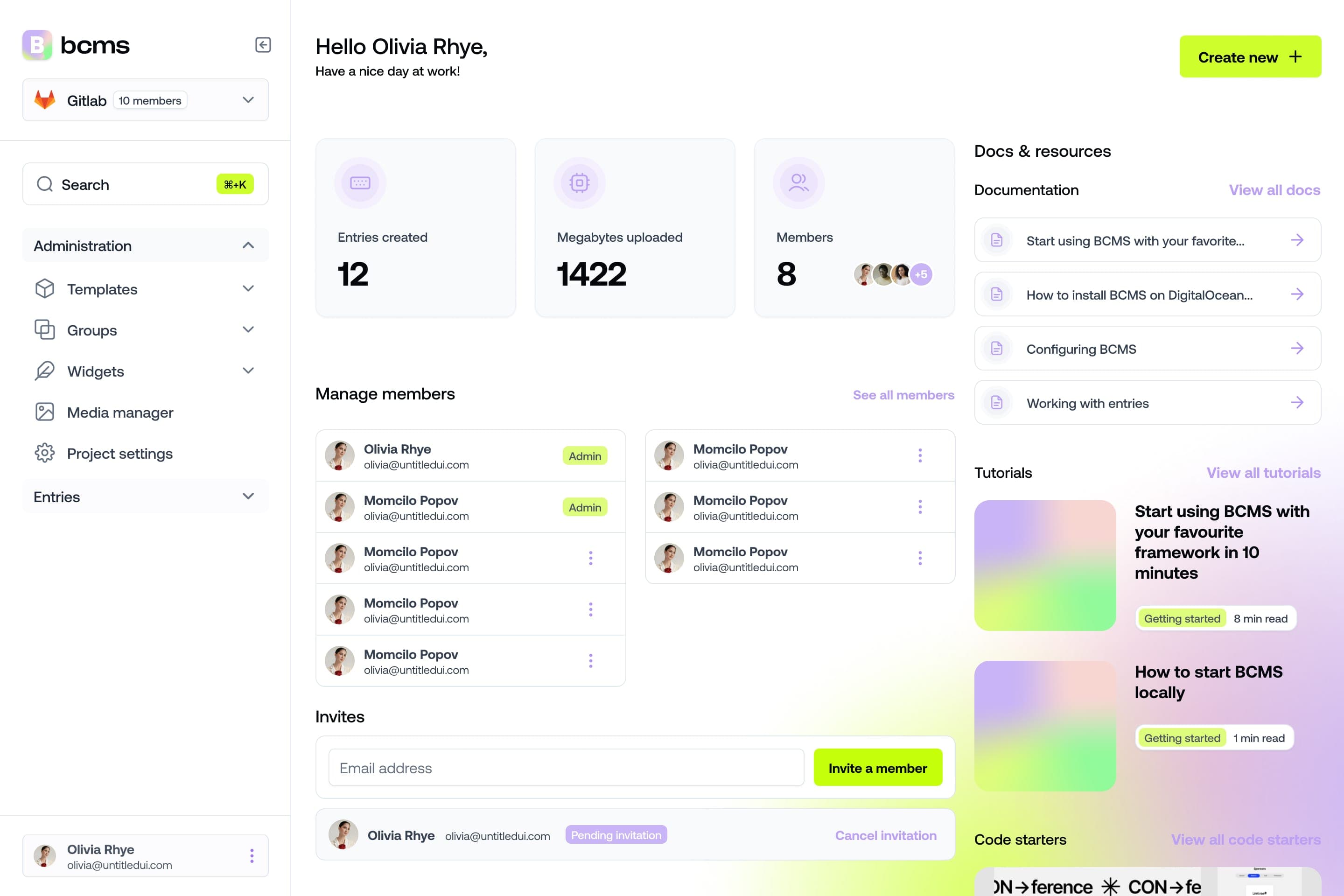
It takes a minute to start using BCMS
14-day free trial · No credit card required
Try BCMS free
Headless CMS for developers. Agents and clients can edit content. You keep the code.
14-day free trial · No credit card required
Try BCMS free
14-day free trial. No credit card. It takes a minute to start using BCMS.
Content
Try BCMS free
Headless CMS for developers. Agents and clients can edit content. You keep the code.
14-day free trial · No credit card required
Continue reading

MACH CMS: MACH architecture and headless CMS explained
Explore the MACH architecture with headless CMS, microservices, and API-first principles. Understand composable systems for flexible content delivery.

BMAD Method for Website Content: Where AI Workflows Meet a Headless CMS
Learn how BMAD-style AI workflows can help teams create structured website content, and how BCMS supports this with templates, widgets, media, MCP, and content models.

Modular CMS: How to use CMS in your modular content strategy
Discover modular CMS! Create, manage, and distribute content in reusable blocks for any platform. Explore BCMS features for a flexible content strategy.