
CMS for SaaS Website
Selecting CMS for SaaS website is a critical decision that can significantly impact your business. The right SaaS content management systems will streamline your content creation, management, and distribution processes, allowing you to focus on growing your business.
 Northloop
- Settings
- Trash
- ·
- @thebcms
- Terms of use ·
- Log out






Why is headless BCMS the best CMS for SaaS website
A SaaS website should use a headless content management system because it simplifies content creation and management, enhances SEO, ensures consistency, and improves security.
For example, using a headless CMS in a cloud computing environment leverages the cloud's scalability and flexibility, allowing for seamless content delivery across multiple SaaS platforms and devices, while enabling developers to use any frontend frameworks they prefer.
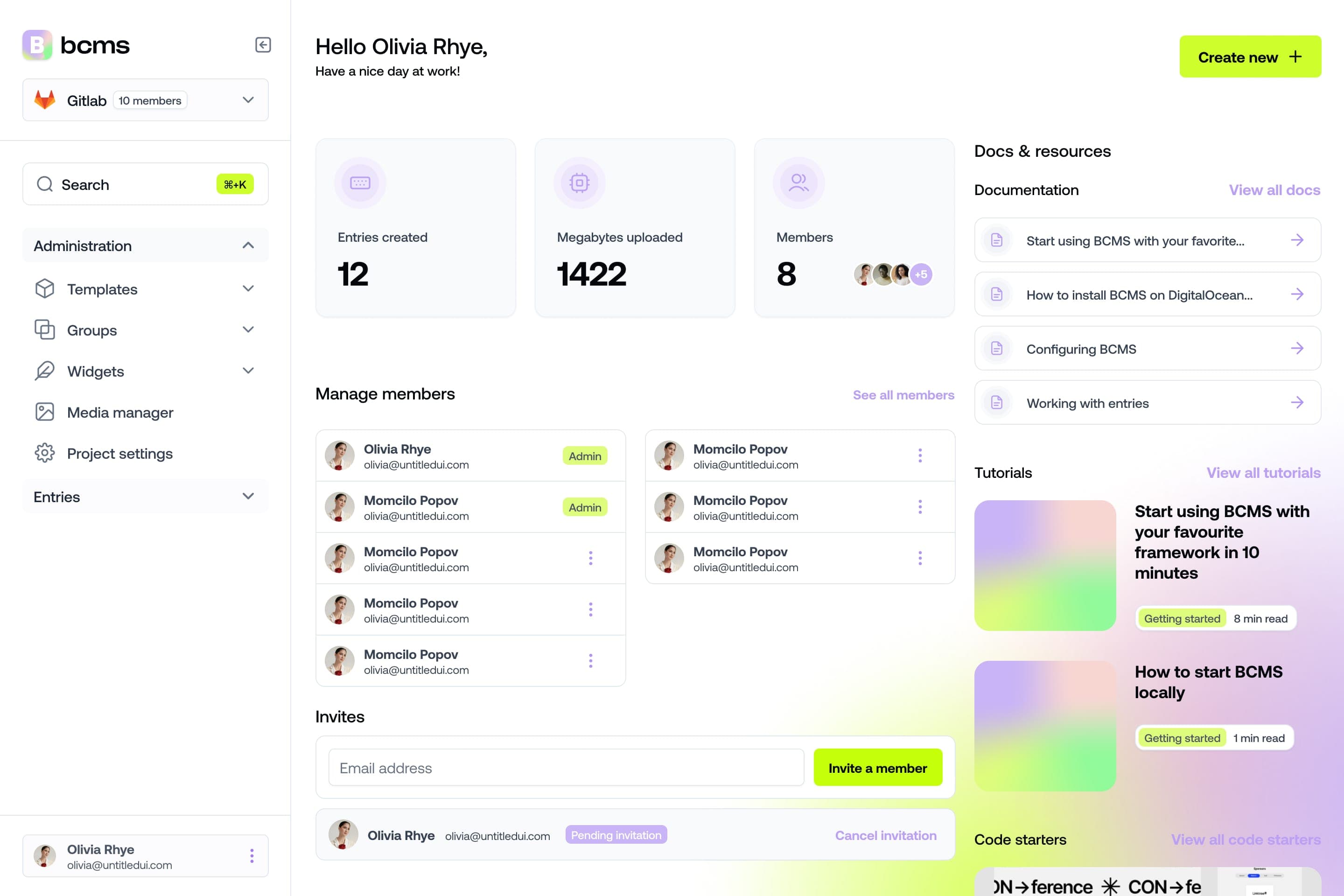
It takes a minute to start using BCMS
14-day free trial · No credit card required
Headless CMS for SaaS business: Benefits
Unlike traditional CMSs, headless BCMS and SaaS are closely related to the way modern web and software solutions are developed and delivered. Here's how they connect:
Cloud-based delivery
BCMS is offered as SaaS, providing cloud-based content management that users can access and manage from anywhere.

API-driven architecture
SaaS applications often use APIs to integrate with other services. The same goes for API-first BCMS, allowing content to be delivered to various channels.
.webp?webp=t&sizeT=900x-1&apiKey=670e90c0cedcf9e4d34d24e7.a2132a1499ac4abf17c3c3183070d09975292fb5fe5c0f15d2d8c9288171554b.670e90c0cedcf9e4d34d1a23)
Cost efficiency
Traditional CMS usually works as on-premise CMS, demanding installation where the organization owns and maintains all the hardware, software, and infrastructure needed to run the SaaS website. In contrast, the BCMS cloud is subscription-based, so there are no installations to worry about, and businesses can manage content without heavy upfront investments.
Find the plan you need on our pricing page.
Collaboration
Headless architectures streamline content creation and team communication using SaaS collaboration tools like Google Workspace, and Slack. The integration lets you collaborate in real-time, manage content seamlessly through a headless CMS, and track tasks with tools like Trello or Asana. This combination enhances productivity, ensures transparent workflows, and delivers content across multiple channels effectively, taking advantage of the SaaS solution's scalability and flexibility.
SaaS website challenges that BCMS can fix
BCMS can effectively address several challenges specific to SaaS websites, including:
Challenge #1: Flexibility in content presentation
BCMS separates content management from presentation, allowing SaaS websites to deliver content dynamically across various devices without being constrained by templates. The separation of code and content allows content creators to focus on creating, editing, and updating content without worrying about the code, leading to faster content creation and management and automated workflow experiences.
Challenge #2: Scalability
SaaS websites often experience varying traffic loads and user demands. BCMS, typically cloud-hosted and designed for scalability, can handle large volumes of content and traffic efficiently, ensuring the website remains responsive and performs well under varying load conditions.
Challenge #3: Replaceable technology stack
Develop the frontends that will consume SaaS content. Since BCMS is front-end agnostic, you can choose your stack.
Furthermore, some official integrations with popular frontend frameworks can help them decide.

All these integrations can help you expand your product offering or improve your SaaS service.
Learn more:
Use case example
The integrations have allowed BCMS to create ready-to-use code starters for each framework, enabling BCMS to become familiar with various industry branches.
Challenge #4: Integration with SaaS apps
SaaS websites frequently integrate with various external services such as payment gateways, CRM systems, job boards, analytics, and marketing tools.
BCMS facilitates seamless integration through APIs, enabling data to flow smoothly between the CMS and these services. This integration enhances functionality, improves user engagement, and supports business operations.
Learn more: How to use Headless CMS as your job board CMS
Challenge #5: SEO
SaaS's biggest challenges in SEO include intense competition, complex product offerings that require clear communication, and the need to engage and convert users through lengthy sales cycles.
BCMS addresses these challenges by providing built-in SEO features. Configuration of SEO-friendly URLs and meta tags directly within BCMS to optimize each page for relevant keywords and improve click-through rates on search engine results pages.
Learn more: Handling HTML Meta tags
How to set up BCMS as your SaaS CMS?
Here are the steps to make SaaS CMS:
Step 1: Identify content sources
Determine the different sources of content you want to federate from. These could be, databases, external APIs, or anything that you use daily for your SaaS website.
Step 2: Set up Content models and structures
Configure content models within BCMS to represent your application’s data structure. Define fields, relationships between content types, and taxonomy (tags, categories) as needed. This step ensures consistency and organization in managing content.
Learn more: Content Modeling basics
Create API endpoints for content delivery
Use API keys to allow your frontend applications to retrieve and manipulate content. Ensure API endpoints are secure and follow best practices for authentication and authorization.
Develop frontend applications
Build or configure your frontend applications (web, mobile apps, IoT devices) to consume content from the BCMS. Use APIs to fetch content dynamically, implement caching strategies for improved performance, and handle error scenarios effectively.
Configure Webhooks and automation
Use webhooks to automate workflows and trigger actions based on content updates or events. Set up webhooks for real-time notifications, content synchronization, and integration with third-party services.
Optimize for SEO and performance
implement SEO best practices such as configuring meta tags, structured data markup, and ensuring fast page load times. Optimize content delivery through CDN integration and minimize latency for global users.
Ready to start using BCMS for your SaaS Website?
There has never been an easier way to get started with SaaS content management systems. After creating a BCMS account in just 3 minutes, you can start using it right away.
Get Started
FAQs:
What is a headless CMS, and how does it differ from traditional CMS for SaaS websites?
A headless CMS is a content management system that provides content to be displayed on any device or platform through an API, without dictating how it should be presented. Unlike traditional CMS, which typically combines content management and presentation layers, a headless CMS separates the content management backend from the frontend display, offering more flexibility and scalability for SaaS websites.
Why would I choose a headless CMS for my SaaS website over a traditional CMS?
Headless CMS offers greater flexibility and freedom in design and development, allowing you to create unique and immersive portfolio experiences. With a headless approach, you can easily integrate your SaaS content into various platforms and devices, ensuring a consistent user experience across different channels.
What are the key benefits of using a headless CMS for SaaS websites?
Some key benefits of using a headless CMS for SaaS websites include:
Flexibility: Easily adapt your portfolio content to different devices and platforms.
Scalability: Handle large amounts of content and traffic without compromising performance.
Customization: Tailor the frontend design and user experience according to your specific portfolio needs.
Future-proofing: Stay ahead of emerging technologies and trends by decoupling your content from presentation layers.
How does a headless CMS help enhance the user experience of my SaaS website?
By decoupling content management from presentation, a headless CMS allows for more dynamic and interactive user experiences on your SaaS website. You can leverage the latest frontend technologies and frameworks to create engaging layouts, animations, and interactions that showcase your work effectively.
Can I integrate my headless CMS with other tools and services for my SaaS website?
Yes, one of the major advantages of a headless CMS is its ability to integrate seamlessly with third-party tools, services, and platforms. Whether you need to connect with e-commerce systems, analytics tools, or social media platforms, you can extend the functionality of your SaaS website through various integrations.
How can I ensure the security of my SaaS content with a headless CMS?
Headless CMS platforms prioritize security measures to protect your content and sensitive data. This includes regular security updates, data encryption, user authentication, and access control mechanisms to safeguard your content from unauthorized access or breaches.
Can I optimize my SaaS website for SEO using a headless CMS?
Yes, headless CMS platforms like BCMS offer built-in SEO features and tools to optimize your content for search engines. You can easily customize metadata, URLs, headings, and other elements to improve your website's visibility and ranking in search engine results.
How do I start using a headless CMS for my SaaS website?
Getting started with a headless CMS is simple. Sign up for a platform like BCMS, create your account, and start uploading your content. From there, you can customize your frontend design, integrate with other tools and services, and launch your SaaS website.