
Best CMS for SEO in 2026: Top Picks & How to Choose

By Arso Stojović, Momčilo Popov•September 23, 2026•6 min read
Short answer: the best CMS for SEO is the one that gives you fast-loading pages, full control over metadata and URLs, clean structured content, and zero technical debt slowing crawlers down. For most teams in 2026, that means a headless CMS paired with a modern framework - but the "right" pick depends on who's running the site. Below, we compare the main options and rank them by how SEO-friendly they actually are.
If you only take one thing away: don't pick a CMS for its templates. An SEO-friendly CMS is one that stays out of the way of Core Web Vitals, structured data, and the on-page controls your team needs every day.
What makes a CMS "SEO-friendly"?
Before any ranking, here's the scorecard we use. A genuinely SEO-friendly CMS should let you:
Control performance - ship fast pages and pass Core Web Vitals (LCP, INP, CLS) without fighting bloated themes or plugins.
Own your metadata - edit titles, meta descriptions, canonical tags, and image alt text per page, decoupled from the visible H1.
Produce clean URLs - human-readable, editable slugs with no query-string noise.
Model structured content - reusable components and fields that map cleanly to schema.org / structured data.
Handle the plumbing - XML sitemaps, 301 redirects, robots rules, internal linking, and taxonomy.
Stay out of the way - output lean HTML so crawlers index what matters, fast.
Keep this list handy; it's exactly what separates the winners below from the losers.
Best CMS for SEO in 2026 (compared)
CMS | SEO control | Performance ceiling | Metadata & schema | Best for |
|---|---|---|---|---|
Headless CMS (e.g. BCMS) | Full | Very high (you own the frontend) | Fully customizable | Developer-led teams that want top performance + flexibility |
WordPress + Yoast/Rank Math | High (with plugins) | Medium (theme/plugin dependent) | Strong via plugins | Content teams who want a mature plugin ecosystem |
Webflow | Medium-High | Medium-High | Good built-in controls | Designers/marketers who want visual building |
Wix / Squarespace | Low-Medium | Medium | Limited | Small sites, non-technical owners |
Shopify | Medium | Medium-High | Good for products | E-commerce stores |
1. BCMS (headless CMS, the strongest ceiling for SEO)
BCMS is a content-first, API-based headless CMS. Headless means content lives apart from presentation: your developers build the frontend with a modern framework (Next.js, Nuxt, Astro, SvelteKit) and serve lean, fast pages, while writers work in a clean editor. Nothing ships to the browser that you didn't put there.
That architecture is why BCMS starts with the strongest SEO foundation of anything on this list. There are no themes or plugins bloating the HTML, so fast LCP and stable CLS are the default, not an optimization project. And every on-page element Google reads (title tags, meta descriptions, alt text, slugs, Open Graph tags) is an editable field on every entry, so your content team can optimize pages without waiting on a developer. (More on each of these in the checklist below.)
What Google rewards | How BCMS handles it |
|---|---|
Core Web Vitals | You own the frontend. No theme or plugin bloat, so fast pages are the default. |
Titles, descriptions, alt text | Editable fields on every entry. Writers update them without touching code. |
Clean URLs | Every slug is a field you control, so URLs stay short and keyword-focused. |
Structured data | Structured content maps directly to JSON-LD you fully control. No plugin needed. |
Content at scale | Reusable content models keep hundreds of pages consistent and easy to optimize. |
The trade-off: you need developers to build the frontend. There's no "install a theme" shortcut. That's exactly why headless sites win Core Web Vitals, though, and once the frontend is built, marketers run the content side of BCMS on their own.
Proof you can check right now: this article is served by BCMS. Run this page through PageSpeed Insights and compare it with any WordPress blog you know.
Best for: teams that care about performance and want to scale content without compromising speed.
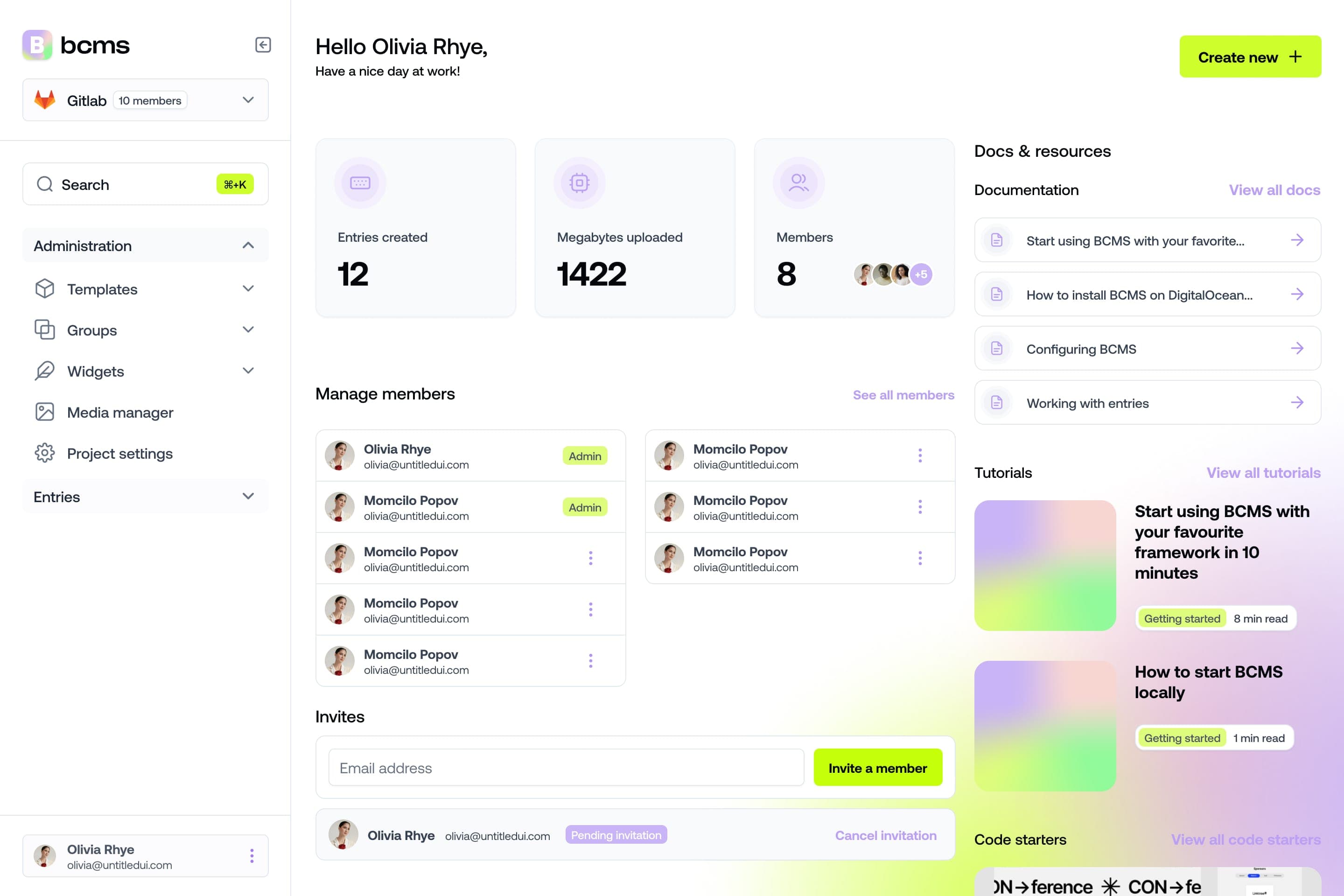
It takes a minute to start using BCMS
14-day free trial · No credit card required
2. WordPress (+ Yoast or Rank Math)
WordPress still powers a huge share of the web, and with Yoast or Rank Math it has the most mature SEO plugin ecosystem available. For content teams that want point-and-click control over metadata, redirects, and sitemaps, it's hard to beat on convenience.
The catch is performance: themes and stacked plugins routinely drag down Core Web Vitals, and keeping a WordPress install fast (and secure) is ongoing work. If you go this route, budget for performance hygiene. See why many developers move away from WordPress.
Best for: content-led teams comfortable maintaining plugins.
3. Webflow
Webflow gives marketers and designers strong visual control with solid built-in SEO settings (editable meta tags, clean markup, auto sitemaps). Performance is generally good for brochure and marketing sites.
Limitations show up at scale - CMS item limits, pricing, and less flexibility than a true headless setup. See whether Webflow is worth the price.
Best for: design-driven marketing sites.
4. Wix / Squarespace
Both have improved their SEO controls and are fine for small sites and non-technical owners. But you're working within their rendering and structure, which caps how far you can push performance and technical SEO.
Best for: small businesses and personal sites.
Headless vs traditional CMS for SEO
For SEO specifically, headless wins on the factors Google rewards most:
Content-first architecture - structure and optimize content freely, then map it to schema.
Developer control - custom frontends mean clean, SEO-optimized code and no theme bloat.
Framework compatibility - ideal for Astro, Next.js, Nuxt, and other modern stacks.
Scalability - grows with your site's complexity without slowing down.
Traditional CMSs win on out-of-the-box convenience and plugin ecosystems. If you have developers (or want the best possible performance), headless is the stronger long-term SEO bet. For the full breakdown, see headless vs traditional CMS.
The SEO features your CMS must have
Whatever you choose, confirm it handles these. This is the checklist that actually moves rankings.

Technical foundation
Page speed & Core Web Vitals - fast LCP, low INP, stable CLS. Test with PageSpeed Insights / GTmetrix.
Mobile-first - Google indexes the mobile version first, so mobile performance is non-negotiable.
Clean, crawlable HTML - lean output so crawlers reach your content quickly.
On-page controls
Customizable metadata - editable title, meta description, and alt text per page, ideally decoupled from the H1.
SEO-friendly URLs - short, readable, editable slugs (aim for under ~65 characters).
Structured / modular content - reusable blocks that map cleanly to structured data.
Internal linking - first-class linking to spread authority and context.
Taxonomy & navigation - categories and menus that help crawlers understand site structure.

Site plumbing
301 redirects - preserve link equity when URLs change and clean up duplicates.
XML sitemaps - generated automatically so search engines find every page.
A CMS that nails these - and lets you do programmatic SEO at scale - is the one that will actually grow your organic traffic.
How to choose the best CMS for your SEO
Do you have developers? Yes → strongly consider headless. No → WordPress or Webflow.
How much does performance matter? Competitive niche → prioritize the highest performance ceiling (headless).
How much content, how fast? Large/scaling content ops → structured, API-first content wins.
Who edits day to day? Make sure non-technical editors get clean metadata controls, not raw code.
Conclusion
There's no single "best CMS for SEO" for everyone - but there is a best fit for your team. If you want the highest performance ceiling and full control over the technical and on-page factors Google rewards, a headless CMS like BCMS is the strongest choice. If you need plugin convenience, WordPress with Yoast/Rank Math is a solid path. Either way, score your options against the checklist above before you commit - the CMS you pick sets the ceiling on how far your SEO can go. Still deciding? Browse 30+ CMS examples by type and use case before you commit.
FAQs about choosing an SEO CMS
Which CMS is best for SEO?
For teams with developers, a headless CMS (such as BCMS) offers the best performance and control. For non-technical content teams, WordPress with Yoast or Rank Math is the most capable out-of-the-box option.
What is an SEO-friendly CMS?
A CMS that lets you edit titles, meta descriptions, alt text, and slugs per page, models structured content that maps cleanly to schema, generates XML sitemaps and 301 redirects, and ships lean HTML that passes Core Web Vitals.
Is a headless CMS better than a traditional CMS for SEO?
Usually, yes - headless gives you cleaner code, better Core Web Vitals, and full control over metadata and structured data. The trade-off is that it requires developers.
Is WordPress good for SEO?
Yes, especially with Yoast or Rank Math. It has the most mature SEO plugin ecosystem available. The trade-off is performance: themes and stacked plugins often drag down Core Web Vitals, so budget for ongoing speed upkeep.
What's the role of metadata in CMS SEO?
Titles, meta descriptions, and alt text are core on-page signals. Your CMS must let you edit them per page - ideally separately from the visible H1.
Does mobile speed affect rankings?
Yes. Google uses mobile-first indexing, so mobile performance (especially Core Web Vitals) is at least as important as desktop.
Do I really need XML sitemaps and 301 redirects?
Yes. Sitemaps help search engines discover pages faster, and 301 redirects preserve ranking equity when URLs change. A good CMS handles both.
Can BCMS help with SEO?
BCMS is content-first and API-based, so you control every on-page element and ship fast frontends. That makes it well suited to performance-led, structured SEO at scale.
Try BCMS free
Headless CMS for developers. Agents and clients can edit content. You keep the code.
14-day free trial · No credit card required
Try BCMS free
14-day free trial. No credit card. It takes a minute to start using BCMS.
Content
Try BCMS free
Headless CMS for developers. Agents and clients can edit content. You keep the code.
14-day free trial · No credit card required
Continue reading

Best headless CMS for AI SaaS in 2026
Choosing the right headless CMS is critical for AI SaaS products in 2026

Contentful vs WordPress: which CMS to pick (and when to migrate)
A practical Contentful vs WordPress comparison: architecture, Next.js setups, Contentful CLI migrations, competitors, and when BCMS is the better alternative.

Multisite CMS: Complete guide to managing multiple websites
Multisite CMS: Streamline your workflow & manage multiple websites efficiently. Centralize content, simplify updates, and gain control over all your sites.