
Headless WordPress + Astro: Should You?

By David Kehinde Emmanuel•June 24, 2026•7 min read
Let’s cut through the buzzwords: Headless WordPress and Astro is like duct-taping a rocket to a bicycle. Sure, it looks fast, but you’ll crash the moment you hit a pothole.
Developers keep pairing Astro’s speed with WordPress’s REST API, hoping to marry Astro’s static-site magic with WordPress’s familiarity. But here’s the dirty secret: you’re not escaping WordPress’s baggage. You’re just hiding it behind a shiny JavaScript façade.
Headless WordPress: The illusion of modernity
Headless WordPress promises flexibility, but under the hood, you’re still stuck with:
Plugin bloat: Yoast SEO, ACF, and WooCommerce turn your API into a clunky Frankenstein.
Sloth-like API speeds: WordPress’s REST API responds slower than a DMV clerk on a Monday morning.
Security risks: 83% of hacked CMS sites are WordPress. Going headless doesn’t fix PHP’s bullseye for hackers.
Need proof? Here’s how fetching content looks in Astro with WordPress vs. BCMS:
// WordPress: Clunky, slow, and unsafe
const response = await fetch('https://your-wp-site/wp-json/wp-v2/posts');
const posts = await response.json();
// Good luck parsing ACF fields
// BCMS: Clean, typed, and cached
import { getEntries } from '@bcms/astro';
const posts = await getEntries('blog');
// TypeScript autocomplete FTW
The real cost of “familiarity”
Choosing WordPress because “it’s what you know” is like staying in a toxic relationship because breaking up feels hard. Sure, WordPress has a nice UI, but so did MySpace.
Astro js deserves better. Instead of shackling it to WordPress’s legacy, pair it with a headless CMS built for modern static sites.
Can you use headless WordPress and Astro? (Spoiler: Yes, but should you?)
Let’s answer this like adults: Yes, you can, but only if you enjoy self-sabotage.
Headless WordPress + Astro is technically possible, like eating soup with a fork. It’ll work… until you realize there’s a better tool for the job. Here’s why this combo is a ticking time bomb:
WordPress and Astro Drawback 1: Plugin Dependency (The WordPress Tax)
WordPress plugins are like barnacles on a ship; they slow everything down, even when headless.
Example: Let’s say you need SEO meta tags:
Install Yoast SEO on WordPress.
Fetch the data in Astro:
// Painful parsing in Astro
const response = await fetch('https://your-wp-site/wp-json/wp/v2/posts');
const posts = await response.json();
const metaDescription = posts[0].yoast_head_json.description;
Result: Fragile, untyped code that breaks if Yoast updates its schema.
BCMS fix:
// Clean, typed BCMS data
import { getEntry } from '@bcms/astro';
const post = await getEntry('blog', 'my-post');
const metaDescription = post.seo.description; // TypeScript autocompletes
Drawback 2: Slow API Responses (The speed trap)
WordPress’s REST API is slower than a sloth on melatonin.
Benchmark:
Astro WordPress: 800ms TTFB (Time to First Byte) due to bloated API responses.
BCMS + Astro: 200ms TTFB (CDN-cached GraphQL).
Why? WordPress’s REST API returns junk you don’t need:
json
// WordPress API response (abridged)
{
  "id": 1,
  "title": "Hello World",
  "_embedded": {
    "wp:featuredmedia": [{ /* 20 nested fields */ }],
    "wp:term": [{ /* taxonomy chaos */ }]
  }
}
Astro wastes time parsing this mess. BCMS? It’s laser-focused:
json
// BCMS API response
{
  "title": "Hello World",
  "seo": { "description": "..." },
  "content": "..."
}
Drawback 3: Security Risks (PHP’s Revenge)
Headless WordPress is like leaving your front door open and hoping robbers don’t notice.
Fact: 83% of hacked CMS sites are WordPress sites. Why?
PHP Vulnerabilities: WordPress’s core is a relic of the PHP 5 era.
Plugin Roulette: That “SEO plugin” you installed? It’s a backdoor waiting to explode.
BCMS Fix: No PHP. No plugins. Just TypeScript and CDN-cached content.
Drawback 4: Hidden Costs (Your wallet will cry)
“Free” WordPress isn’t free:
Hosting: $30/month for WordPress + $20/month for Astro hosting = $600/year.
Developer Time: Debugging WordPress/Astro integration = 10+ hours/month.
BCMS Fix: Free trial available for small sites, predictable pricing for scaling.
The real question is: Why not go fully static?
Astro’s superpower is zero JavaScript by default. But pairing it with WordPress forces you to:
Hydrate React components to parse WordPress data.
Manage server costs for a “static” site.
Pray WordPress doesn’t crash during your build process.
Better Idea: Ditch WordPress. Use Markdown or a CMS built for Astro.
A better path: Migrate from WordPress to Astro (Without the baggage)
Let’s face it: migrating from WordPress is like cleaning out a hoarder’s garage. It’s messy, but the payoff is worth it. Here’s how to ditch WordPress for good and build an Astro site that’s fast, secure, and actually enjoyable to maintain.
Step 1: Export content from WordPress
The ugly truth: WordPress exports are cluttered with HTML bloat, plugin shortcodes, and <!-- wp:paragraph --> garbage.
Tool to the rescue: Use wp-export-to-markdown to salvage your content:
npx wp-export-to-markdown --url=https://your-wordpress-site.com
# Output: A folder of Markdown files... and regret
Pro Tip: This CLI tool tries to clean up HTML, but you’ll still need to manually fix:
Broken image links from
wp-content/uploads.Plugin remnants (e.g.,
[gallery ids="1,2,3"]).
BCMS shortcut: Skip the mess. Use BCMS’s WordPress migrator to auto-import content into structured types:
curl -X POST https://bcms.io/migrate/wordpress \
  -d '{"url":"https://your-wordpress-site.com"}'
# Done. Your content is now typed, clean, and CDN-cached
Step 2: Ditch WordPress, adopt BCMS
Why BCMS?:
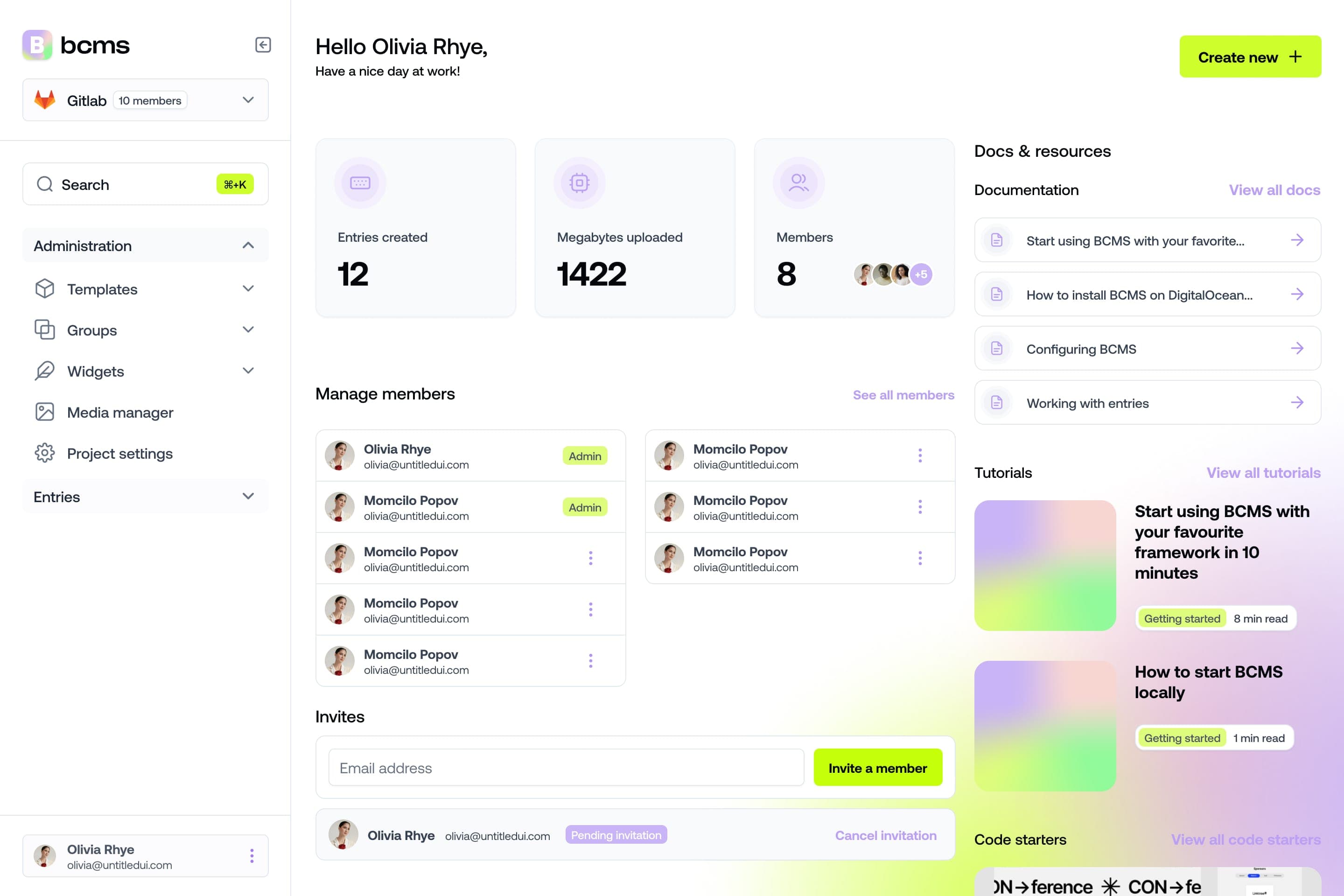
It takes a minute to start using BCMS
14-day free trial · No credit card required
No More HTML Bloat: Content is stored as structured JSON, not WordPress’s HTML soup.
TypeScript Love: Autocomplete content fields instead of guessing
post.acf.field_123.
Example: Define Blog posts content types in BCMS:
// blog-post.ts
export interface BlogPost {
  title: string;
  slug: string;
  seo: {
    description: string;
    keywords: string[];
  };
  // No more ACF hell
}
Step 3: Build your Astro site the right way
Install BCMS + Astro:
npm create astro@latest -- --template bcms
# Choose "Blog" template
Fetch content:
// src/pages/blog.astro
import { getEntries } from '@bcms/astro';
const posts = await getEntries('blog');

{posts.map(post => (
  <article>
    <h2>{post.title}</h2>
    <p>{post.seo.description}</p>
  </article>
)}
Astro + BCMS perks:
Image optimization: BCMS serves images via CDN (no
wp-content/uploadschaos).Instant previews: Content updates in BCMS? Astro rebuilds in seconds.
Step 4: Organize content & dynamic routes
WordPress PTSD: Remember ?p=123 URLs and fighting with permalinks?
BCMS + Astro Fix:
Use BCMS’s
slugfield for clean URLs.Generate routes dynamically:
// src/pages/blog/[slug].astro
import { getEntry } from '@bcms/astro';
const { slug } = Astro.params;
const post = await getEntry('blog', { where: { slug } });

<article>
  <h1>{post.title}</h1>
  <BCMSContent values={post.content} /> <!-- Renders clean HTML -->
</article>
Step 5: Implement SEO & performance optimizations
SEO done tight:
BCMS fields: Predefined seo objects with meta titles, descriptions, and OpenGraph.
Astro Component:
// src/components/SEO.astro
const { seo } = Astro.props;

<title>{seo.title}</title>
<meta name="description" content={seo.description} />
<meta property="og:image" content={seo.image.src} />
Performance wins:
0kb JavaScript: Astro ships zero JS by default.
CDN-Cached Content: BCMS delivers content 4x faster than WordPress’s API.
Headless WordPress vs. BCMS: A side-by-side showdown
Let’s settle this once and for all: Headless WordPress + Astro is a duct-taped jalopy. BCMS + Astro is a Tesla. Both get you from A to B, but only one doesn’t catch fire halfway.
Round 1: Performance (TTFB)
Metric | Headless WordPress + Astro | |
TTFB | 800ms (WordPress API bottleneck) | 200ms (CDN-cached GraphQL) |
JS Bundle | 150kb (React hydration for WP data) | 0kb (Astro static by default) |
Build Time | 5+ minutes (WP API timeouts) | 30 seconds (BCMS prebuild) |
Why it matters:
WordPress: Each API call feels like waiting for a dial-up modem.
BCMS: CDN caching means your Australian users get content as fast as your local team.
Round 2: Security
Metric | Headless WordPress + Astro | |
PHP Risk | Yes (WordPress core) | No |
Plugin Threats | Yes (Yoast, ACF, etc.) | No |
GDPR Ready | No (Plugins leak data) | Yes |
Real-world example:
WordPress: A client’s “secure” headless site got hacked via an outdated Contact Form 7 plugin.
BCMS: No PHP, no plugins, just TypeScript and cached JSON.
Round 3: Developer experience
WordPress + Astro:
// Fetching WordPress content: A tragedy in 3 acts
const response = await fetch('https://your-wp-site/wp-json/wp/v2/posts');
const posts = await response.json();
const title = posts[0].title.rendered; // Why "rendered"? Nobody knows.
BCMS + Astro:
// Fetching BCMS content: Pure joy
import { getEntries } from '@bcms/astro';
const posts = await getEntries('blog'); // posts[0].title
Pain points:
WordPress: Debugging across PHP/JS stacks feels like juggling chainsaws.
BCMS: TypeScript autocompletes content fields.
Misspelled description? BCMS throws an error.
Round 4: Cost
Expense | Headless WordPress + Astro | |
Hosting | 30/month(WP)+ 30/month(WP)+20/month (Astro) | Free trial available |
Developer Hours | 10+ hours/month (Plugin fires) | 1 hour/month (It just works) |
Scalability | $200+/month (Enterprise WP hosting) | $50/month (BCMS Pro) |
Annual cost comparison:
WordPress: ( $50/month × 12 )+( 10h/month × 100/h ) = $13,200/year
BCMS: $50/month × 12 = $600/year
Conclusion: Ditch the duct tape, build for the future
Let’s be real: Headless WordPress + Astro is like using a flip phone in 2024. Sure, it technically works—but you’ll spend more time fixing it than actually building.
The truth? Astro projects deserve better. It’s a modern framework built for speed, simplicity, and innovation. Shackling it to WordPress’s legacy is like forcing Usain Bolt to run in flip-flops.
The WordPress Hangover
Speed: WordPress’s API is slower than a DMV line. BCMS’s CDN delivers content at the speed of light.
Security: 83% of hacked sites are WordPress. BCMS has no PHP, no plugins—just bulletproof JSON.
Sanity: Debugging WordPress/Astro stacks feels like therapy-worthy trauma. BCMS + Astro? Pure bliss.
The BCMS Advantage
Zero lock-in: Switch frameworks (Remix, SvelteKit, Qwik) without rebuilding your content layer.
TypeScript Nirvana: Autocomplete content fields instead of guessing
post.acf.field_123.Costs that don’t hurt: Free tier for starters, scalable pricing for enterprises.
Final thought: Astro vs WordPress
Next time you ask yourself, "How to use WordPress and Astro?", ask yourself:
“Do I want to spend my time shipping features… or fighting PHP errors?”
Build like tomorrow matters with Astro CMS
Ready to leave WordPress’s baggage behind? Try the BCMS Astro Starters and:
Deploy a blazing-fast blog in 5 minutes.
Enjoy TypeScript autocomplete for all your content.
Sleep soundly knowing hackers aren’t eyeing your PHP.
Check out our Astro website demo
P.S. Bookmark this guide. When your WordPress site crashes at 2 a.m., you’ll know where to turn.
It takes a minute to start using BCMS
14-day free trial · No credit card required
Try BCMS free
Headless CMS for developers. Agents and clients can edit content. You keep the code.
14-day free trial · No credit card required
Try BCMS free
14-day free trial. No credit card. It takes a minute to start using BCMS.
Content
Try BCMS free
Headless CMS for developers. Agents and clients can edit content. You keep the code.
14-day free trial · No credit card required
Continue reading

Best headless CMS for AI SaaS in 2026
Choosing the right headless CMS is critical for AI SaaS products in 2026

Contentful vs WordPress: which CMS to pick (and when to migrate)
A practical Contentful vs WordPress comparison: architecture, Next.js setups, Contentful CLI migrations, competitors, and when BCMS is the better alternative.

Multisite CMS: Complete guide to managing multiple websites
Multisite CMS: Streamline your workflow & manage multiple websites efficiently. Centralize content, simplify updates, and gain control over all your sites.